How One Blogger Gained 120,139 Email Subscribers
By Ryan Robinson October 1, 2019
Do you know what the key to a successful blog is? A loyal community of readers.
No, not those one-off readers who visit your website, read a blog post and disappear. I mean, sure it’s great to attract as many readers as possible, but it’s a waste of an opportunity if you don’t know whether they’ll return — and you’re not enticing them to comeback.
This is exactly why building an email list is so crucial to any online business, especially if you want to convert your blog into a source of real income and actually make money blogging. Having access to your readers’ email addresses lets you not only communicate, but also build real relationships with them.
Working hard to drive traffic to your blog is only half the battle. You’ve still got to convert those brand new readers into (excited) returning fans. Here are four key ways I’ve optimized my blog for collecting a high volume (more than 120,000!) of qualified email subscribers.
1. Optimize content for search intent.
There’s been too much talk about only using keywords to rank well in organic search. What many marketers fail to understand is that Google never really relied on keyword stuffing to determine page rankings.
While using relevant keywords is essential, what’s equally important, is understanding how people search — also known as search or user intent.
Search intent refers to what users are actually looking for when they type a search query. This concept goes beyond keyword usage, because it aims to understand the psyche behind a particular search.
Here’s how to create impactful blog content that’s in line with search intent.
Evaluate keyword intent.
Keyword intent is all about giving searchers exactly what they want. Your ability to accurately interpret the intent someone has when they’re searching for a particular keyword phrase online is crucial to creating content that does the best possible job of answering their questions and solving their challenges.
Let’s assume you have a list of core keywords which include your brand name, features, and words related to your domain.
Another place to look for keyword intent is Google’s own search engine results page (SERP). Start by typing the main keyword in the search bar and Google’s auto-fill function will give you insights into what else people search for related to your keyword.
For instance, if you run a home decor blog and you want to write about small space furniture, you can type “small spaces” in Google and see what automatically appears below your keyword:
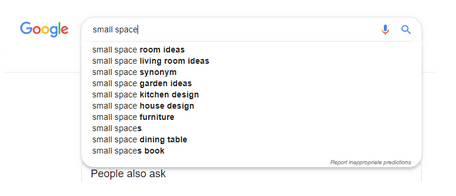
This will give you inspiration for your blog content, enabling you to make it more focused and in line with popular search intent.
Other places you can look at are the ‘Related searches’ and ‘People Also Ask’ section.
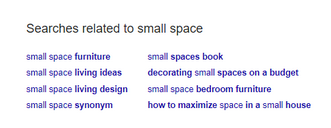
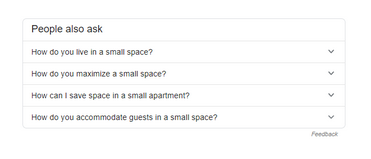
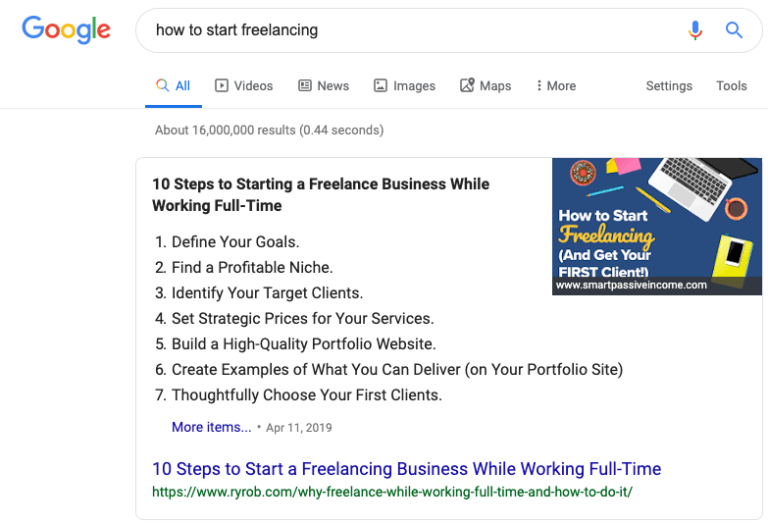
When you match your blog content to meet popularly searched queries, there are more chances of appearing on Google’s featured snippet which ensures maximum visibility.
Perform a content gap analysis.
If you’ve been consistently producing blog content, but don’t see it performing as well as it should, it’s time to pause and analyze. It’s quite possible that your competitors are doing a better job of matching the search intent for the keyword phrases you’re targeting.
Doing a content gap analysis lets you understand how your content is performing (compared to others ranking for the same keywords) and gives you the opportunity to identify areas of improvement that should help better address search intent.
Have a broad topic in mind? Great. Start with doing a Google search and studying the first page of results to see the high ranking pages. Then, evaluate each of them to see what they are missing. Consider these questions as you evaluate the content:
- Is the information up-to-date?
- Does it answer all pertinent questions?
- Is it visually appealing and engaging?
By the end of this exercise, you’ll walk away with some clear ideas for how to create content that fills these gaps better than the existing competition.
You should also use tools like Buzzsumo and SEMRush to study your competitors’ content and identify keywords they’re ranking for that are also relevant to your blog — and can be included in your future content lineup.
Create content that addresses user intent.
Now that you’re aware of the different kinds of search intent, it’s time to create blog content that addresses each of them. There are 3 types of search intent — navigational, informational, and transactional.
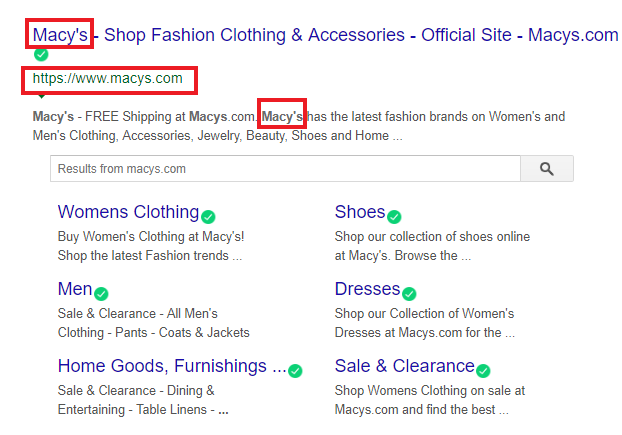
Navigational searches: Your reader is seeking a specific website. This kind of intent is generally direct and clear as the user is very specific about the brand/company they’re looking for. You can optimize your blog content for such a query by strategically using your brand name in the title, meta-description, and subheadings of the blog post.
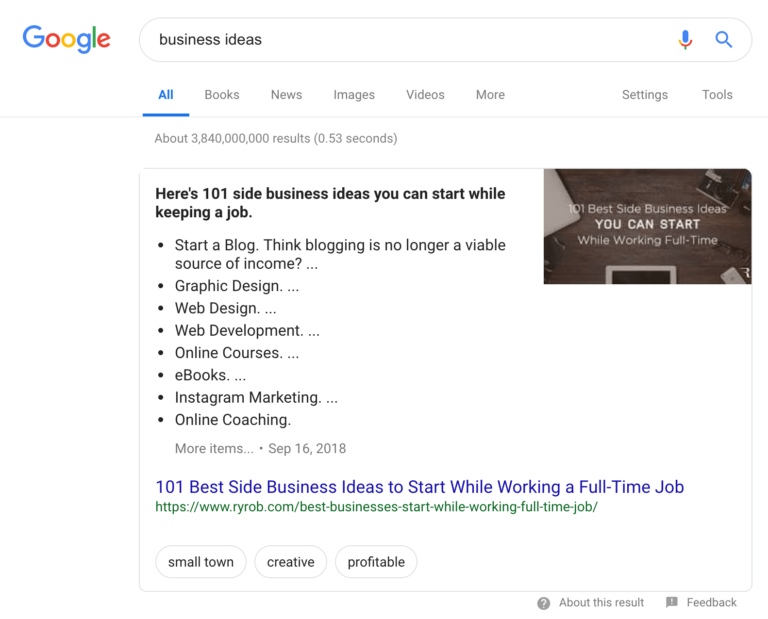
- Informational searches: Your reader is actively looking for information. This search query involves “how,” “what,” “when,” and “why” questions. Users are looking for answers or more information. You need to optimize your content to answer their questions.
How? Create comprehensive how-to blog posts, videos, step-by-step guides, and eBooks. You can also create downloadable content to capture visitor email addresses and grow your email list.
- Transactional searches: Your reader is prepared to take action, such as making a purchase. Here the user seeks to make a purchase, so you need to create content that addresses their concerns while listing your product or service’s benefits, solutions, value-added offers, case studies, and even comparisons that entice them to take your desired commercial action.
2. Create quality content.
None of these efforts will materialize in tangible business results if you don’t create quality (and meaningful) content that makes people want to read on.
From the moment of capturing their attention to the time they finish reading, your blog posts need to engage your readers so they hit the ‘subscribe’ button and join your email list.
Here’s a look at the ingredients of a perfect blog post that’s sure to increase your traffic.
Craft attention-grabbing headlines.
The headline forms the first impression of your blog post. You need it to grab people’s attention and attract clicks. So, the first step to write a successful blog post, is to create a powerful, SEO-friendly headline by keeping the following tips in mind:
- Ask a hotly debated question (like “How long should an email subject line be?”).
- Use numbers and striking data.
- Appeal to emotions and curiosity (like my chronicle on which state to form an LLC in).
- Be specific and useful.
- Use relevant, intent-based keywords (like this roundup of pre-built email campaigns).
- Keep it short (up to 60 characters).
- Optimize for search and social.
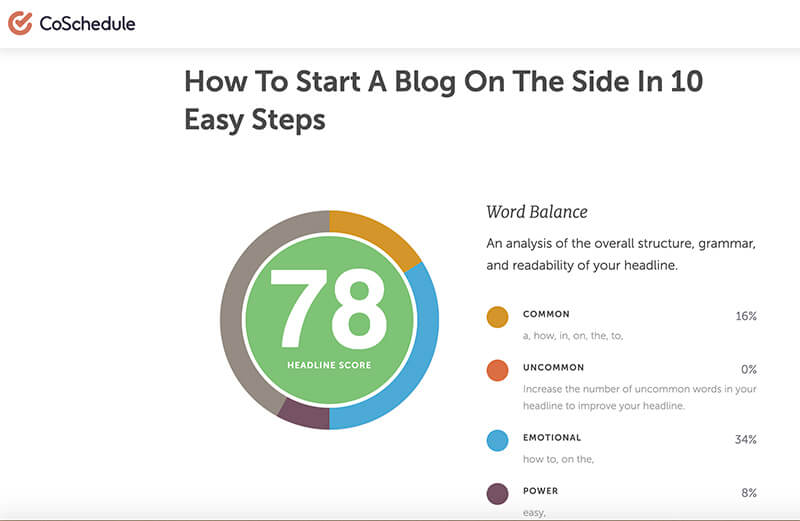
Apart from adhering to this checklist, you should also use a tool like CoSchedule’s Headline Analyzer, which tells you how powerful your headline is from an SEO point of view. If you score 70 or above, you can safely move forward with the headline.
Instantly hook readers.
Your title managed to get readers to click on your blog post, but that doesn’t guarantee they’ll read it.
So, how do you pull the reader in and ensure they make it through the entire post and feel glad they did? You craft a strong introduction that instantly hooks readers from the start. The first 1 to 2 sentences are crucial because they dictate whether your post will be interesting enough to warrant further reading.
Here are a few blog hooks you can use to entice readers to continue onward:
- Use a startling statistic (like these surprising Internet statistics).
- Begin with a quotable line (like James Clear’s ultimate productivity hack proclamation).
- Ask an enticing question (like I used to kick off my guide to guest blogging).
- Use humor to your advantage (like James Altucher regularly does).
Answer questions.
Meaningful and relevant content will always win with readers.
So, uncover your audience’s burning questions by scanning communities like Reddit and Quora. You should also review the comments section of your blog to listen to your readers and understand if they have specific questions or pain points you can address with new content.
Another effective way to deliver content your readers will want to read, is by sending them a short survey to understand which kinds of topics they’d like to learn about. Your readers’ opinion matters most — so let it be a two-way conversation and give them what they’re genuinely interested in.
Use appealing visuals.
More than 50% of our brains are used to process visual information, which means that visuals are way more powerful at driving your message home than chunks of text.
So, always combine meaningful content with visuals to make your posts more interesting and engaging. If there’s something that can be said better with the help of a short graphic, ditch the paragraph and explain it with a well-designed infographic instead.
Use images, GIFs, videos, colorful graphs, slides and infographics to break up the text and enhance the appearance of your blog content for better readability.
Optimize for mobile.
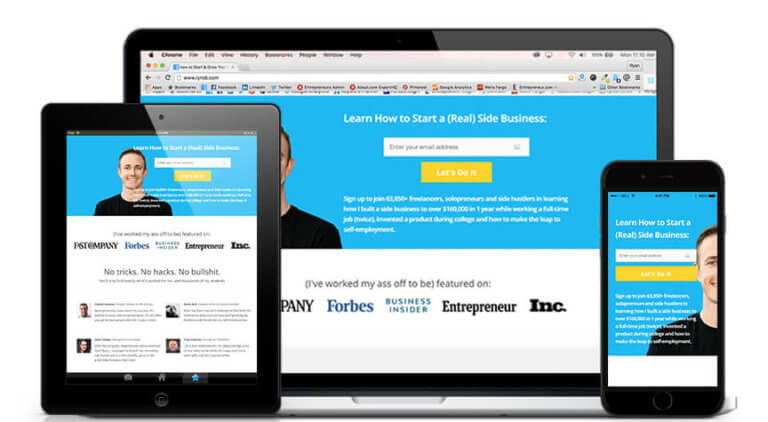
It’s a mobile-first world. If your blog doesn’t load quickly on a mobile device or requires users to zoom in and out to see it, then you’re losing out on a huge chunk of readers.
So, choose from only mobile-friendly WordPress themes to power your blog and incorporate responsive menus that automatically adjust to any device type or browser size, for users to navigate and read your content with ease. Before going live, use Google’s Mobile-Friendly Test to evaluate your website.
3. Create clear, in-content calls-to-action.
The best way to get readers to join your email list is to tell them to subscribe with the help of clear call-to-action (CTA) buttons.
Here’s what you should keep in mind to ensure your in-content call-to-actions are effective.
Complement your content.
In-content CTAs should aid the reading experience and not obstruct it. They need to be organically weaved in, so they naturally flow with the content and avoid being intrusive.
So, if you’re writing about a particular pain point, your CTA needs to direct readers to a solution related to that particular pain point.
Match user intent.
You can increase conversions when you insert CTAs that match user intent. Use a tool like TextOptimizer to extract search intent tables and related questions that’ll help you understand what your blog visitors are specifically looking for.
Once you have that information, you can tailor your content around it and also insert relevant CTAs that match that user intent.
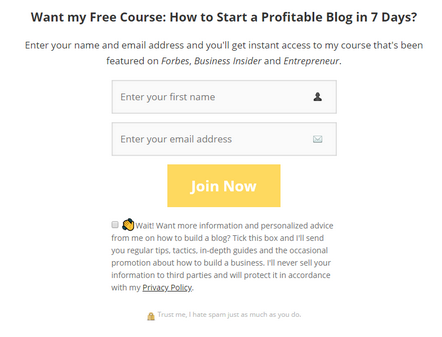
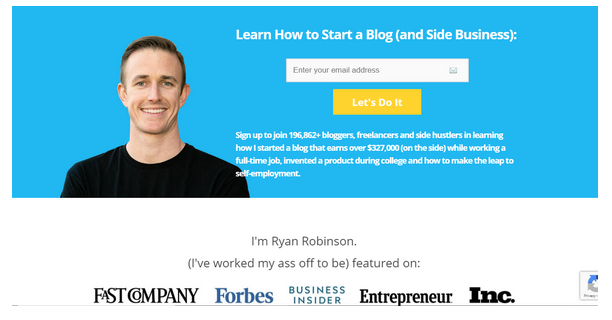
For instance, in my ultimate guide about how to start a blog, I inserted a clear CTA to my free course on growing a profitable blog — which matched the search intent of that post and expanded upon the goals of my readers.
Make it highly visible.
An effective CTA is one that’s clear, direct, and manages to stand out on the page. Use action-oriented, specific words that urge the reader to take the desired action.
If you’re offering a free trial, include the word ‘free’ or any other value add that can generate clicks. It’s also a good idea to insert a fascinating statistic or create a sense of urgency if it’s a time-bound offer.
For CTAs to be visible, use contrasting colors that make them pop out and place them strategically for better visibility.
4. Use effective popups.
Have you ever come across popups that appear right before you plan to leave the page? Those are called exit-intent popups.
While some experts say they’re a great way to capture email addresses and create a sense of urgency, they actually tend to create a negative last impression.
Instead of exit-intent popups, use a delayed popup that displays a relevant offer after a reader has been on your page for a set duration of time. Engaged readers will spend more time on your page. By showing forms only to these readers, you’re more likely to convert the right subscribers.
(Easily create a popup form in AWeber! Get AWeber Free today.)
Match your form design to your website.
Your popup needs to be in line with your website design and layout. So, make sure it matches your website’s colors, theme, fonts and tone of voice in order to drive more sign ups.
Related: Create an email template that matches your website in seconds with AWeber’s Smart Designer.
Write actionable copy.
Readers are only ever one click away from abandoning your blog, but the right popup offer, featuring action-oriented copy and a prominent CTA, can entice readers to click through.
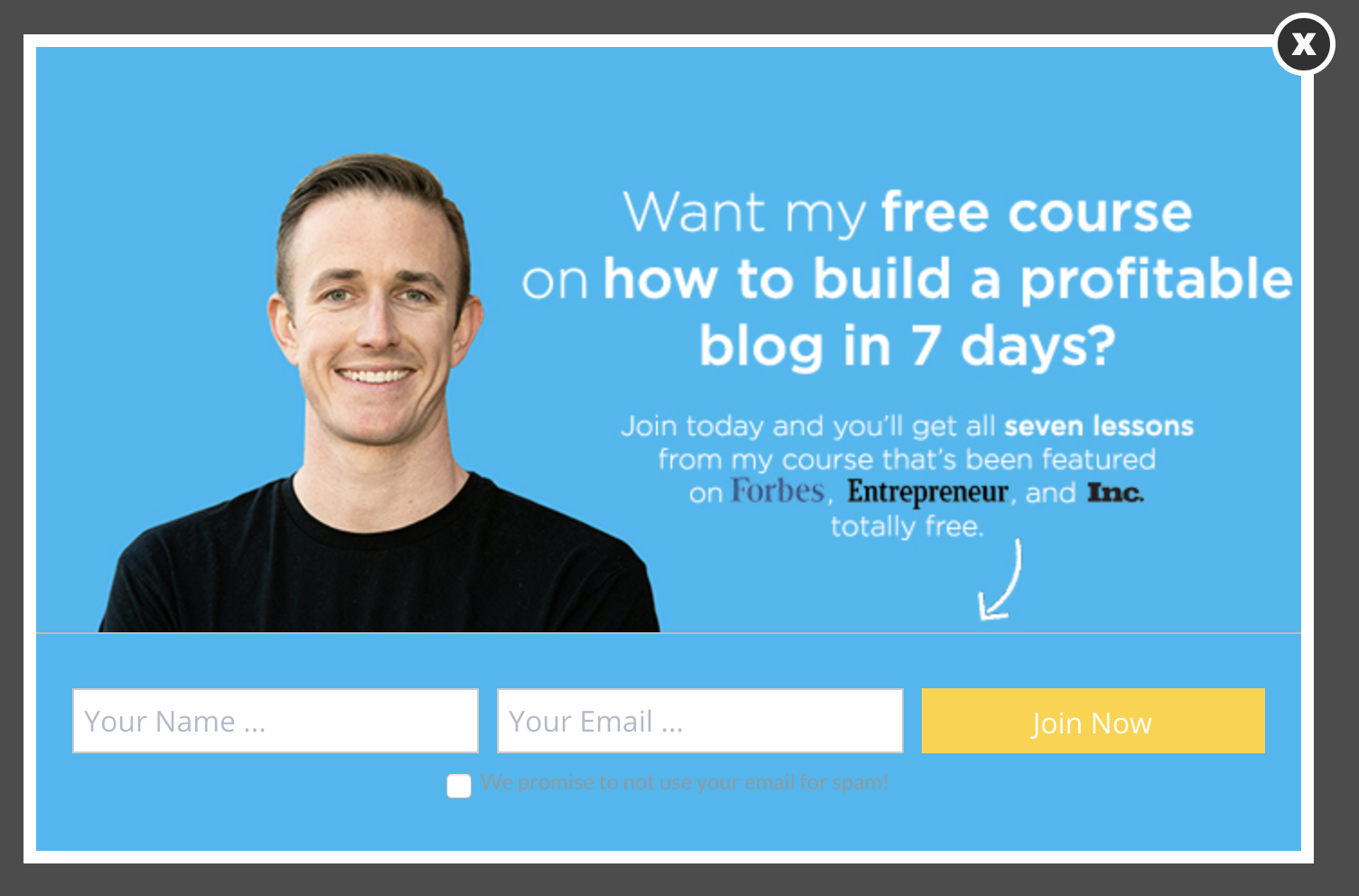
When writing the popup copy, clearly highlight the offer and value your reader will get in exchange for signing up. Create a sense of urgency and explain the benefits of subscribing to your blog. Here’s an example of a high-converting popup for for my free course on how to build a blog:
Ask only for the important information.
When readers are brand new to your website, you can’t ask them to fill out lengthy forms. Keep the sign up form simple and only ask for the most basic information you need in order to build a stronger relationship with them — their email address and first name.
Final thoughts on converting (more) readers into email subscribers
Creating high-quality blog content that attracts readers is one of the most effective forms of content marketing today — but you can’t afford to let all that traffic go waste once you’ve nailed a strategy for driving traffic to your blog.
Make it work for your underlying business goals by converting those otherwise one-time readers into email subscribers that you can build (and maintain) a long-term relationship with over the days, weeks, and months to come. Eventually, they’ll be primed to become paying customers.
Ryan Robinson is a blogger, podcaster, and side project aficionado who teaches 400,000 monthly readers how to start a blog and grow a profitable side business at ryrob.com.


Alison
10/14/2019 1:56 pmThanks for the great tips! I have mixed feelings about popups, though. Are they so annoying that they turn off more readers than they convert?
Brandon Olson
7/30/2020 2:55 pmSurprisingly, the data shows that pop-ups can work really well, if done appropriately. You can control the pop-up experience, making it less annoying and more helpful. For example, you can add a time delay so they don’t show up right away. You can also make them less intrusive by having them slide in from the side or bottom of the page. Or you can have them appear when someone is about to leave your website.