10 Call to Action Best Practices to Get More Email Subscribers
By Sean Tinney March 15, 2022
When you first created your email sign up form, you probably spent most of your time writing the copy and fine-tuning the design.
But how much time did you spend thinking about your call to action (CTA) button?
If you chose “submit,” “subscribe,” or “sign up” as your call to action copy, chances are it didn’t take much time at all. And while those are all perfectly good CTA choices, you might still be missing out on an opportunity to get more people to subscribe to your list.
To help you make the most of your opt-in form — and all the other work you put into your email messages — we’ve rounded up 10 call to action best practices.
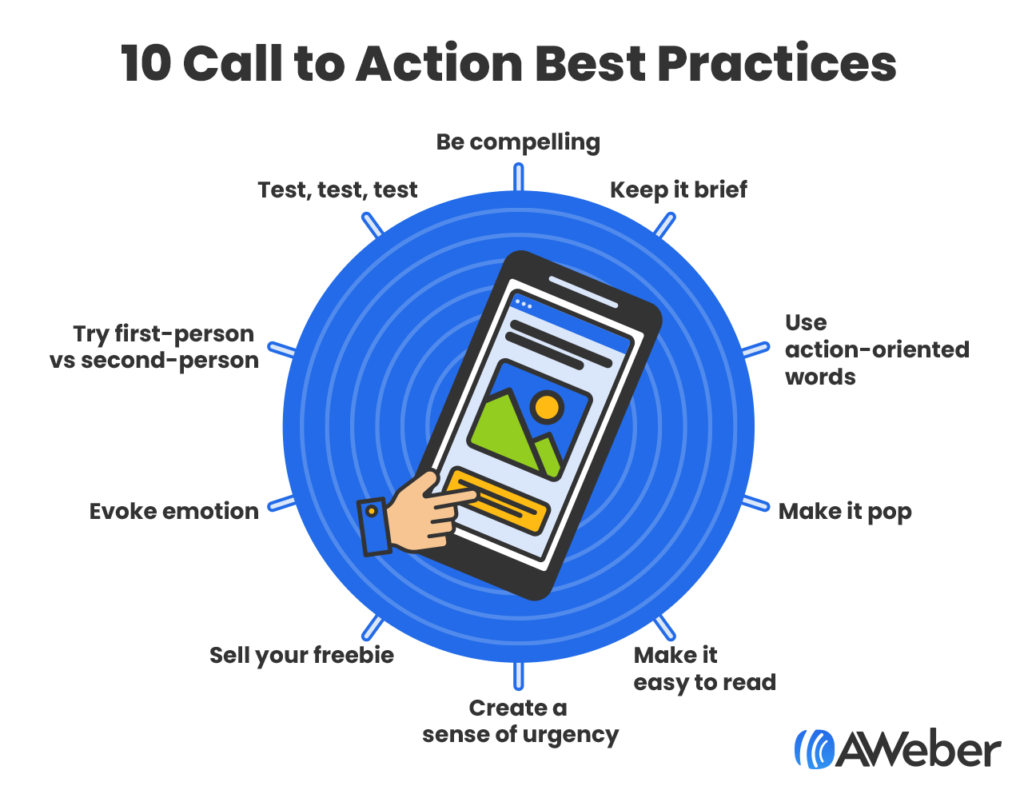
1. Be compelling
“Submit” or “sign up” are a little 2017. To really stand out and engage your site visitors, use copy that stops people in their tracks. Don’t be afraid to have some fun with it.
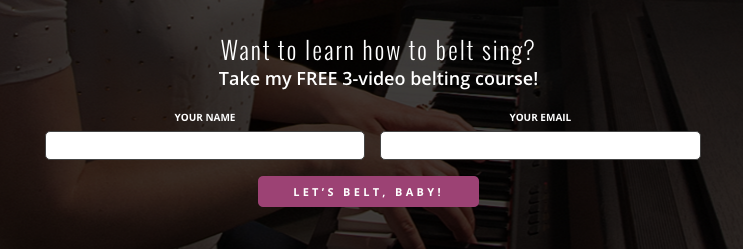
Vocal coach Felicia Ricci decided to have some fun with her CTA. Check out this distinct and inviting call to action button copy that ties in directly to her course.
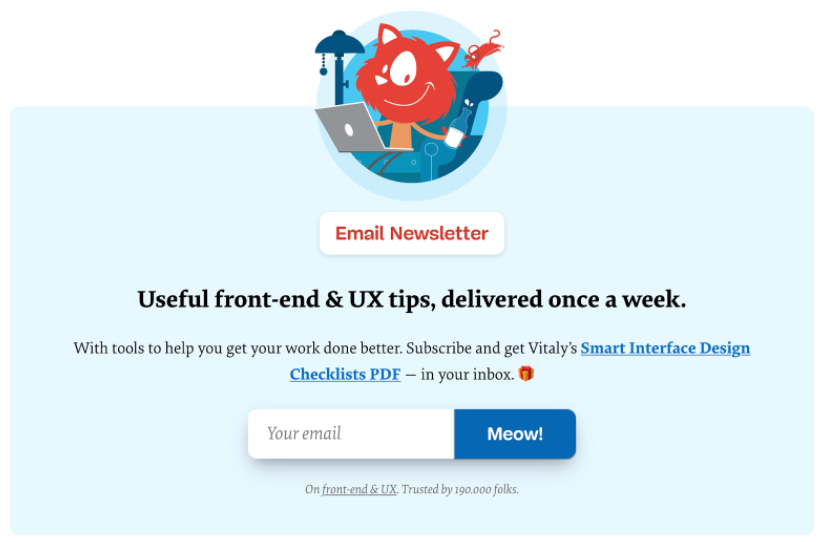
Or here’s Smashing Magazine’s irreverent take on button copy. It seems almost a bit too far… until you read the line below about them having 190,000 email subscribers. This wouldn’t work for many audiences, but for them, it’s spot on.
2. Keep it brief
If it takes too long for prospective subscribers to read your CTA, they may lose interest in signing up for your email list. Attention spans online are ridiculously short, so make every word count.
How many words should a call to action have? The general rule is two to five words.
This doesn’t mean you can’t break this rule and use a one-word CTA or even a 12-word CTA, but two to five words generally works best. If you want to break the rule, have at it, but consider running an A/B split-test to test your copy. (More on that in a moment.)
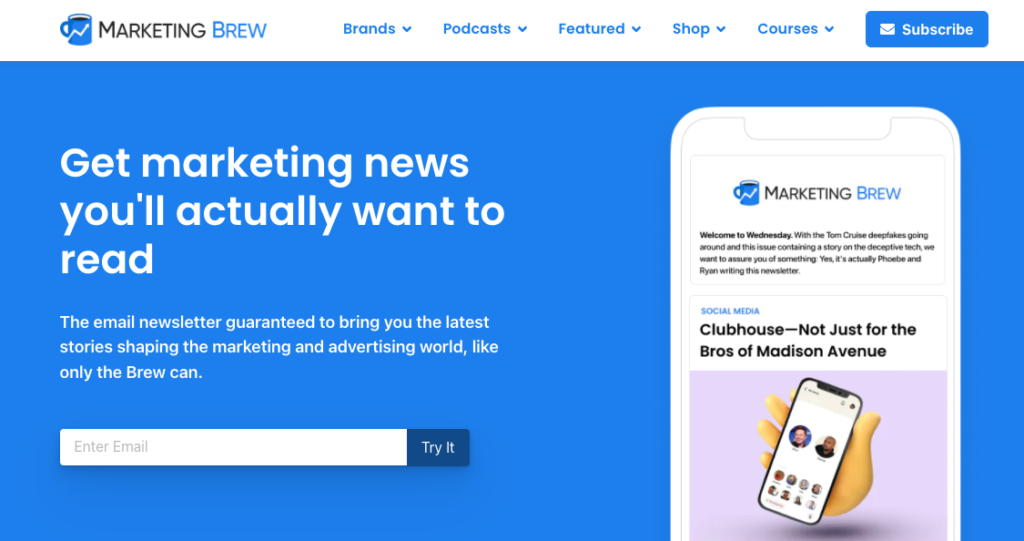
Here’s a two-word call to action from the newsletter giant Marketing Brew.
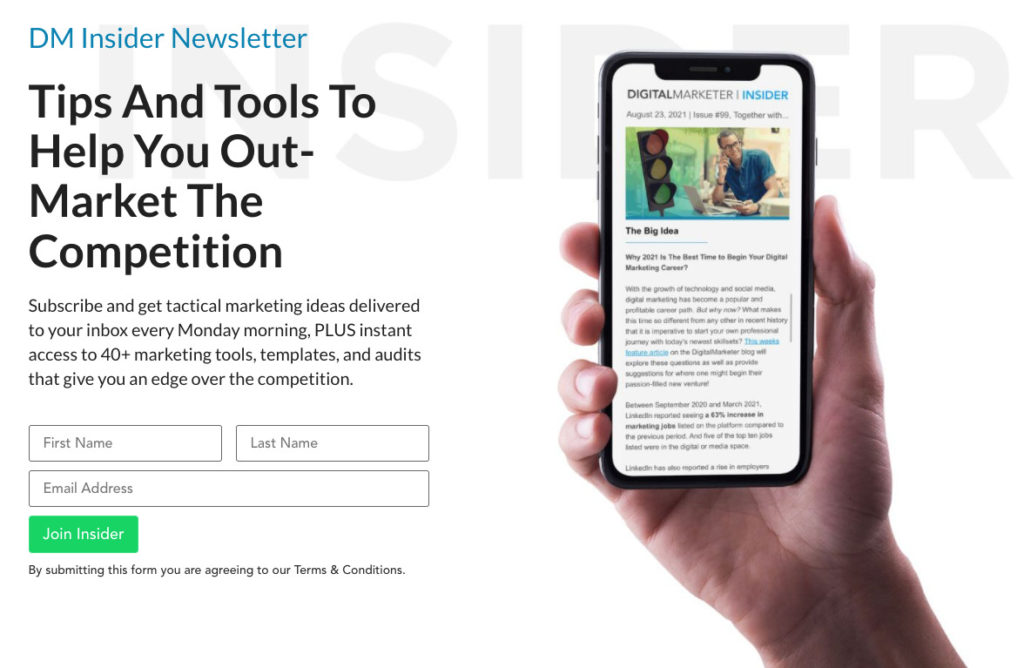
And another two-word call to action from the marketing masters at Digital Marketer.
3. Use action-oriented words
CTAs are all about getting people to take action, so use some sort of actionable word or phrase. Even “submit” gives readers a next step to take. So make sure your CTA is focused on the action you want your readers to take.
Think of your CTA almost like an urgent, brief message. What do you want them to do, and how do you want them to feel when they do it? Find a verb that captures that experience.
Here are a few examples of verbs that are proven to get people to click:
- Get
- Book
- Send
- Download
- Start
- Try
- Reserve
- Take
- Upgrade
- Explore
- Save
- Go
- Give
- Grab
- Create
- Upgrade
- Join
- Claim
- Contact
- Subscribe
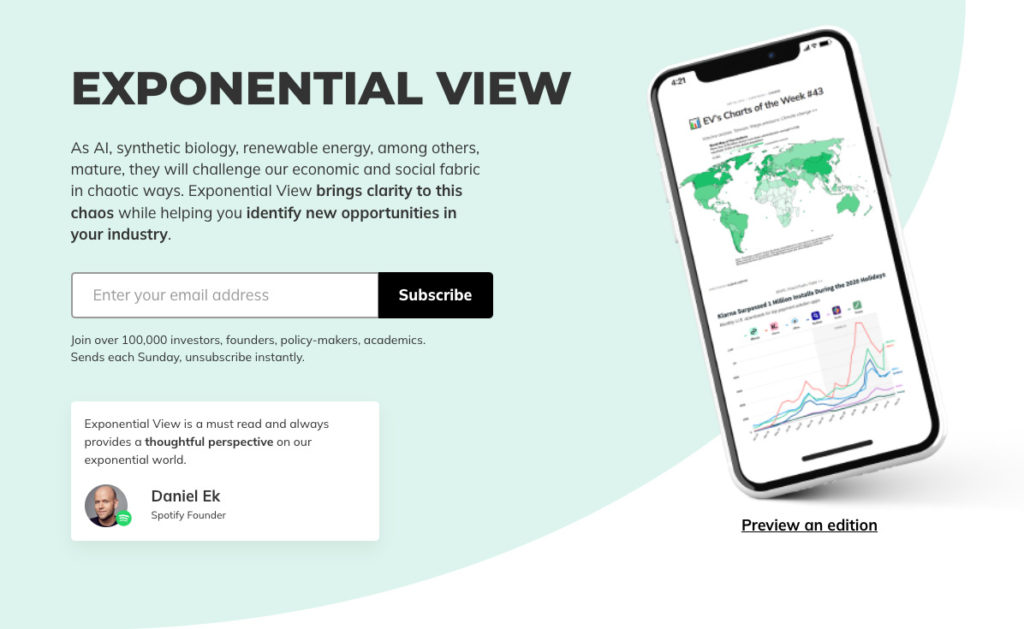
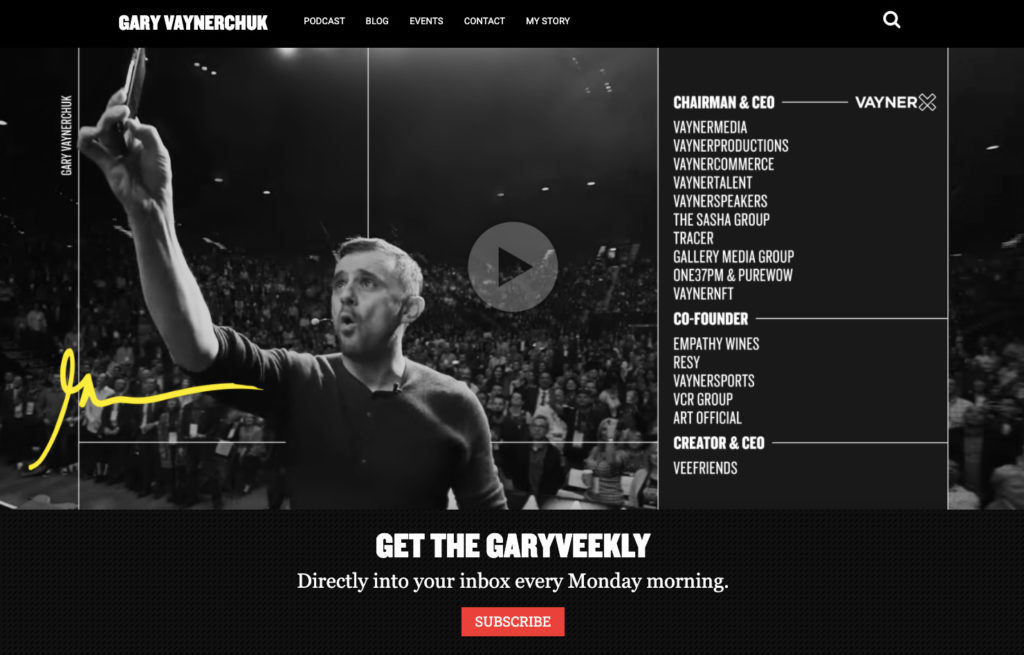
That last one—subscribe—might seem a little old school. But some very successful sites use it.
Like the newsletter Exponential View:
Or expert entrepreneur Gary Vaynerchuk:
4. Make it pop
If you’re looking for ways to make your CTA stand out, then experiment with the color. The color of your CTA should draw your potential subscribers to it.
Color has been shown to impact subscribers’ behavior. There is a close link between colors and emotions. Warmer colors—like pink—evoke completely different emotions than cooler colors, like steel blue.
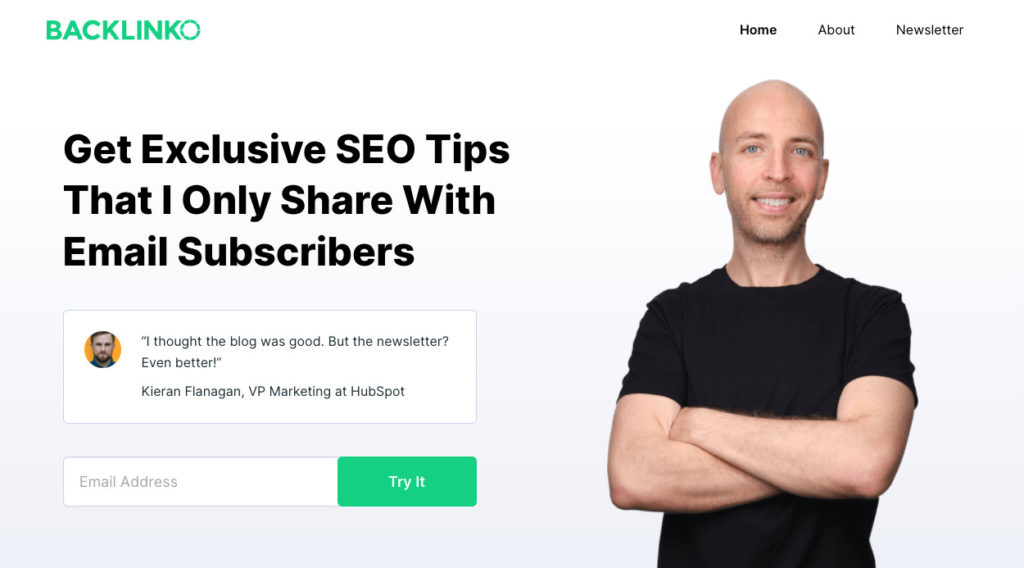
There’s no hiding from Backlinko’s green call to action button here. The contrast between the button color and the rest of the page is striking.
5. Make it easy to read
There are two parts to successful CTA coloring. First, use a type size large enough that people can read the button copy even on a mobile phone, and even in bad lighting. Don’t make anyone squint to see the CTA.
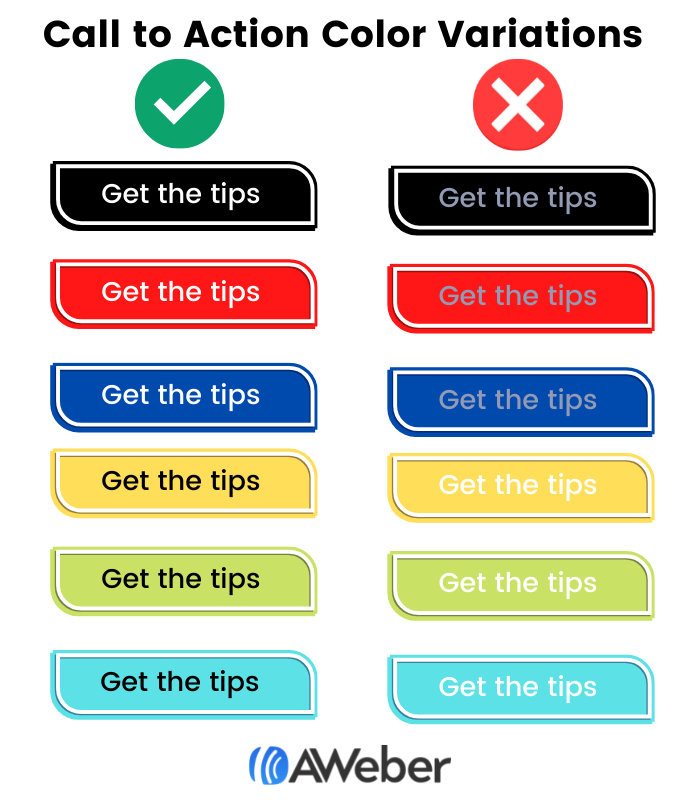
The second part of making the call to action easy to read is using enough contrast between the button text and the button color. So when you’re using a darker colored CTA button color, the text should be a lighter color. And when you’re using a lighter color CTA, your text should be a darker color.
We recommend white text for the darker color call to actions and black text for the lighter color CTAs.
Check out the examples below to see how light on light and dark on dark almost blend into the background. Remember: Your CTA tells your potential subscriber the action you’d like them to take, so don’t hide it.
6. Create a sense of urgency
We often encourage our readers to create a sense of urgency in their subject lines. The same can also be said for your CTA.
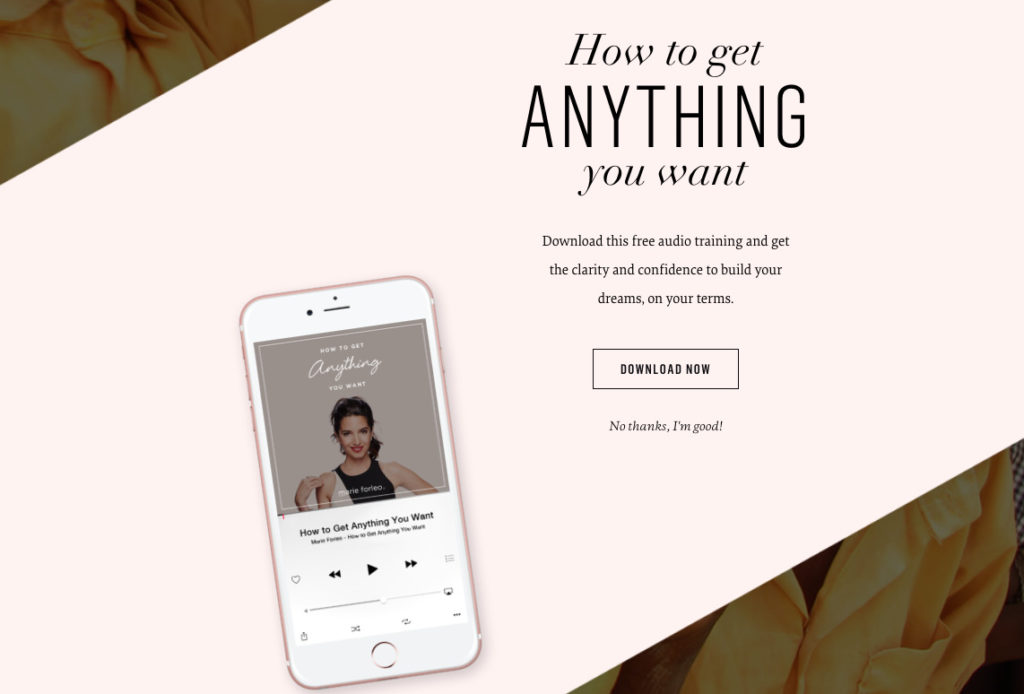
Adding words like “now” or “today” can prompt people to take action immediately. Very few of the people who see your sign up form will remember to sign up for your list later. You want them to take action now.
Marie Forleo’s opt-in box follows this CTA copy best practice well, and it’s backed up by a killer incentive. Who wouldn’t want to get anything they want?
7. Sell your freebie
Many email list owners offer a “lead magnet” or a “freebie” to entice people to sign up for their mailing list. This is usually an ebook, but freebies can also be a video or a free course—anything you think your ideal subscribers would find irresistible.
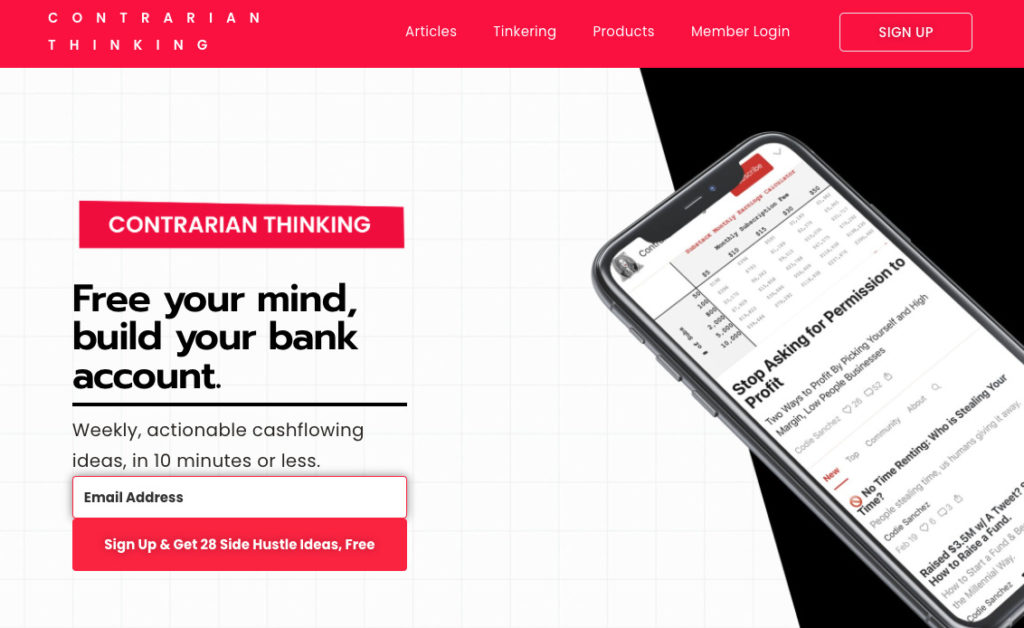
Here’s an example of an opt-in form with a lead magnet from the newsletter Contrarian Thinking. It offers an ebook called “28 Side Hustle Ideas.”
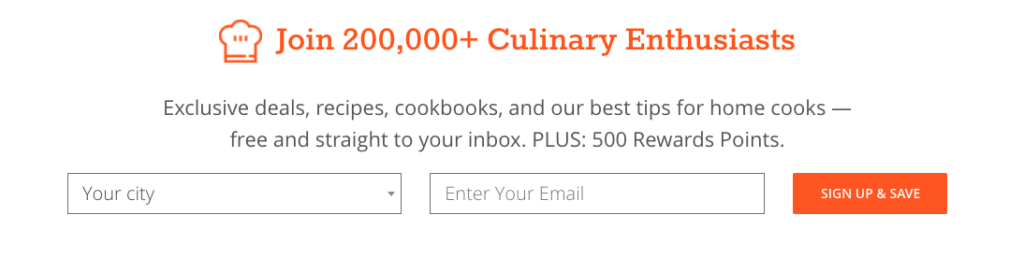
Also consider summing up the value of your lead magnet into one word. It sounds like a tough challenge, but it can be done. The call to action copy below is from CozyMeal.com. Their one-word benefit summary is “save.” With a list of 200,000 subscribers, clearly that copy works.
Another secret to selling your freebie is to make sure people know exactly what they’re going to get. Even if you have to tell them twice.
So while your opt-in box should explain what people will get when they sign up, consider repeating it in your call to action. Test out highlighting the benefit in your form button.
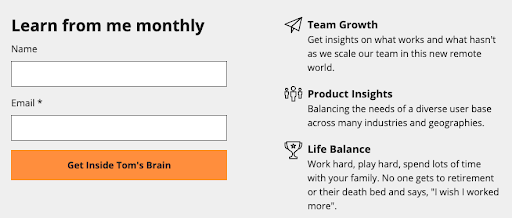
Here’s how our Founder Tom Kulzer did this on his personal site. Not only is the CTA unique and fun, but it clearly articulates what a subscriber can expect from his emails.
8. Evoke emotion
Great marketing is all about tapping into emotion. You want your audience to feel a certain way, and your copy is the place to do it. This is one of the most powerful best practices for a CTA— or any copy.
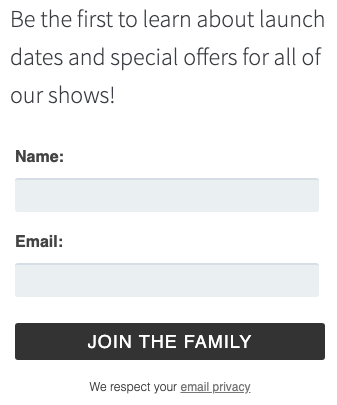
Fable & Folly Productions is all about community, and they want their website visitors to feel like they’re welcome. Check out their unique call to action copy in their sign up form below.
Or consider this call to action copy from Lewis Howes. Those six little words will invoke big feelings for his ideal readers.

9. Try first-person vs second-person
It’s natural for marketers to write to their audience in the second person, where the reader is addressed as “you” or “your.” This point of view is often used because it speaks to the individual as opposed to a mass audience. As a result, it feels more personal to the recipient. It also forces you to present the value of the action you want readers to take.
For example, this whole blog post is written in the second person perspective in order to encourage you to test new CTA copy so you can get more subscribers. And we often write our calls to action that way too.
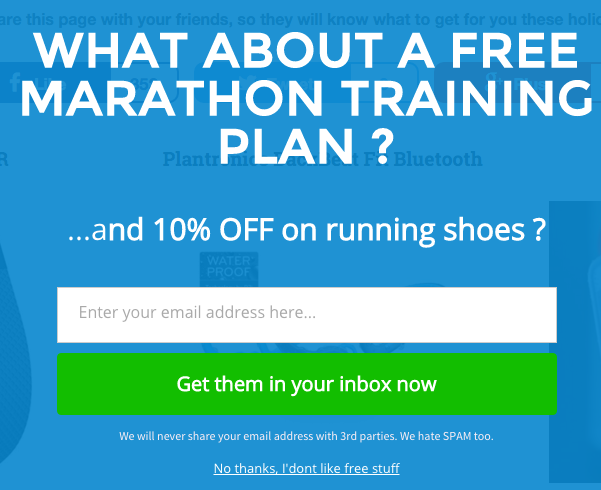
In the form below from Running Shoes Guru, you’ll notice CTA button is written in the second-person perspective:
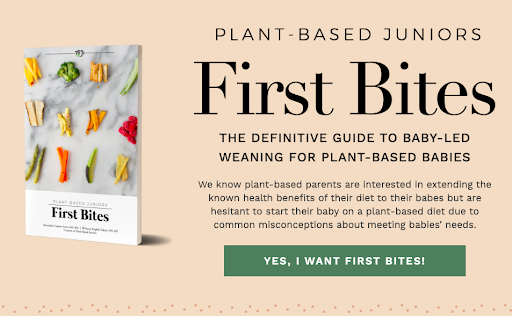
But it might also be worth testing out first-person language (“I”/”we”) on your sign up form. It can help your visitors feel a sense of ownership of your offer.
Plant-Based Juniors, a blog about feeding children a plant-based diet, tried out first-person language on their guide’s landing page:
10. Test, test, and test some more
Call to action button copy best practices are great, but they have one fatal shortcoming: they generalize. So while everything we’ve told you about here is proven to work, it’s not specific to your audience.
The only way to really know what will work best for you is to test.
Fortunately, testing isn’t hard to do. There’s a simple method to test different versions of button copy, or anything else on your sign up form. It’s called an A/B split test.
An A/B split test basically lets you show two or more versions of your sign up form to visitors. The two variations rotate dynamically, so half of your visitors will see “Version A” of your form, and the other half of your visitors will see “Version B.”
When enough people have seen both versions of the form to produce statistically valid results, then you can tell which version of the form (or button) converts best.
See this tutorial for step by step instructions for how to set up a split-test. Or check out The Ultimate Guide to Email A/B Testing if you want a deep dive into how to test.
If your first test fails, don’t be discouraged. Just try something different. Sometimes it takes a few tests to find the perfect call to action. And you can always learn from a test, even one that doesn’t win.
Persistence will pay off: What would getting even 20% more email subscribers mean to you? And that’s 20% more subscribers without having to get any additional traffic, or create any new content, or doing anything extra at all besides the test. Your form will just generate 20% (or 50%, or even 321%) more results for you.
Where to place your call to action
Where you place your CTA could impact how many email subscribers you collect. Why? If nobody can find it, then there’s no way you’re going to collect their email address.
Here are some highly visible CTA places you can put your CTA:
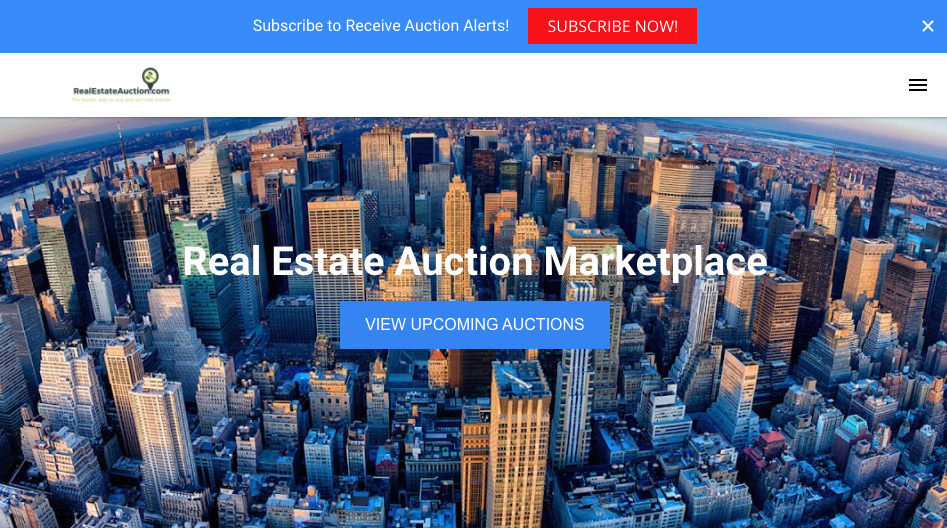
At the top of your website
AWeber customer RealEstateAuction.com has a call to action you can’t miss. It’s right at the top of every page on their website, and the button is fire engine red.
In the sidebar of your blog posts
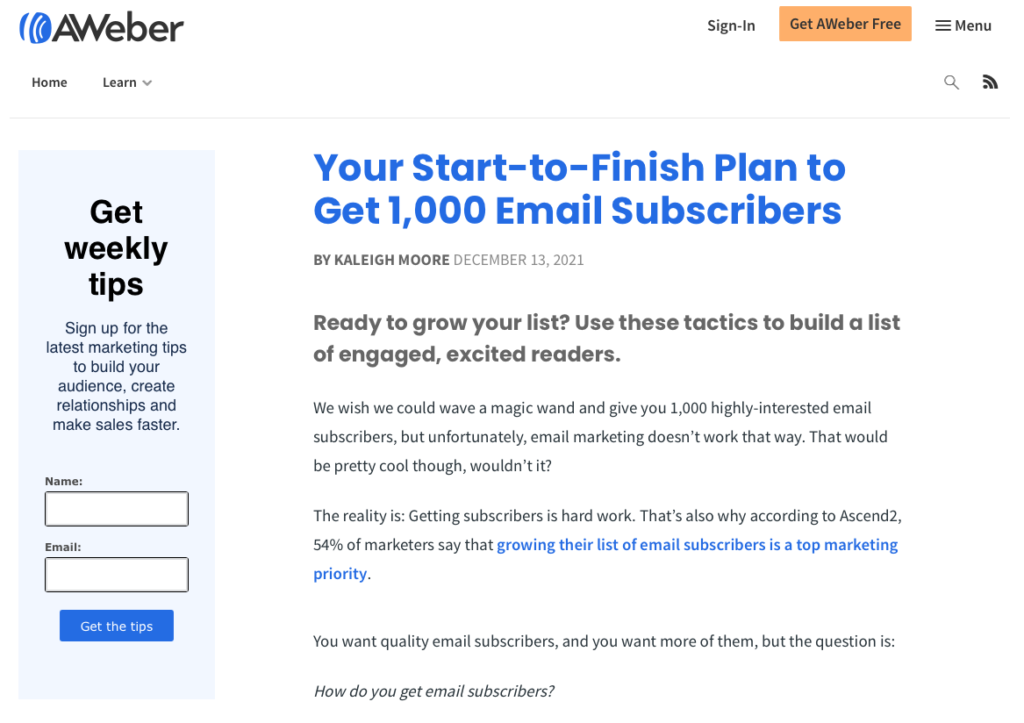
Did you notice that every AWeber blog post has our email sign up form in the sidebar?
As a pop-up message
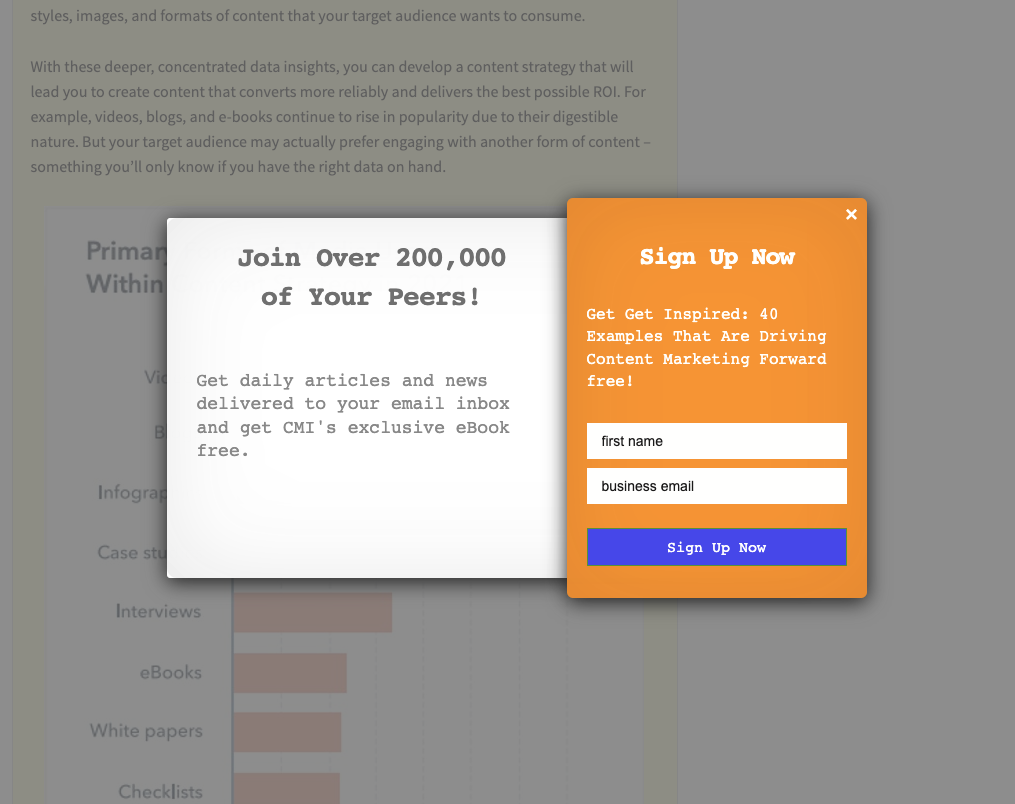
The Content Marketing Institute has a pop-up appear once you begin scrolling through one of their blog posts.
In the middle of your blog post
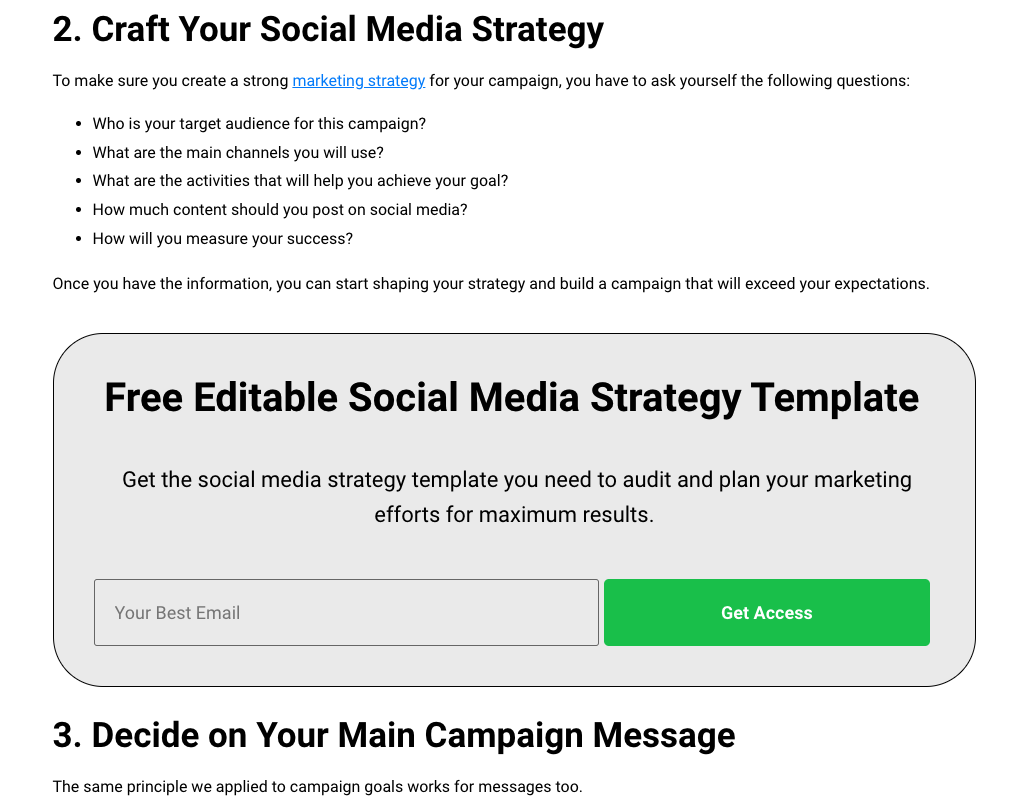
Check out how SocialBee includes a lead magnet to capture email addresses in the middle of their blog post.
Call to action phrases to try right now
So are you ready to improve your call to action button copy? Want to swap your current call to action with something new? Here are 20 call to action phrases for inspiration:
- Gimme
- Snag this offer now
- Don’t miss out
- Let’s go
- I want free _____
- Let’s do it
- Get it
- Get the guide
- Send me the goods
- Get the discount now
- I’ll take it!
- Enroll
- I can’t wait any longer
- Join the tribe
- Yes, please!
- I’m in
- I’m here for it
- Try it
- Save my spot
- Get the tips
How will you use these call to action best practices?
And if you want even more ideas for how to create better button copy, see this post on how to create killer CTAs for your sign up form.


Isabel Azcarate
3/23/2022 4:21 pmThanks! Really good read that gives a lot of ideas 😊🙌