Free HTML Welcome Email Templates That Are Proven to Convert
By Kristin MacLaughlin October 14, 2020
AWeber has over 700 free professionally-designed HTML email templates to help you save time and focus on growing your business. But when it comes to designing emails your subscribers love, your welcome email is one of the most critical messages to help you make a great first impression.
A welcome email is the first step to building a lasting relationship with your audience. It’s a great chance to introduce yourself and gives you an opportunity to build a relationship with your subscribers right away.
Welcome emails can also have a huge impact on your business — in fact, they can generate 320% more revenue per email, 4 times higher the open rates than other emails, and 5 times higher click-through rates than promotional emails.
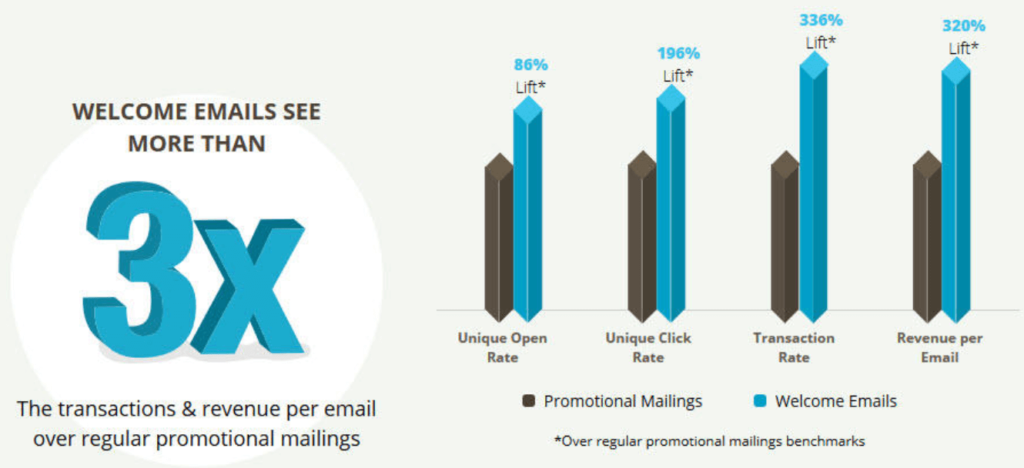
When done correctly, well-crafted welcome emails engage your subscribers and make them eager to come back for more.
Welcome emails have a few other essential jobs, too:
- Welcomes your new subscribers and thanks them for signing up
- Tells people what kind of content they can expect from you and how often
- Delivers your incentive, if you offered one
- Includes content about your business that helps your audience get to know you better
- Tells your customers how to contact you
The best time to send marketing welcome emails
The truth is: your subscribers will never be more engaged with you than in the moments after they signed up for your list. So capitalize on their interest by sending them a welcome email campaign as soon as they subscribe to your newsletter, download a piece of content, or purchase a product.
You can even tailor an email marketing welcome series based on how they signed up. With AWeber, you can set up an autoresponder to be triggered as soon as someone enters their email address into your sign up form or landing page.
Why you should use a free welcome html email template from AWeber
Reason #1: You want to save time.
Ready to stop working in your business and start working on your business? AWeber’s professionally designed templates and automation tools will save you time, freeing you up to invest in other essential areas of your business. Do more of what you love and leave the email marketing up to AWeber.
Reason #2: You want to save money.
AWeber eliminates the need to pay someone to design emails for you. AWeber’s template library is packed with over 700 professionally designed free html email campaign templates proven to help you engage with your audience.
Reason #3: You want to know your audience better.
Instantly know if your audience responds to the email when you track how they engage with your emails. AWeber’s analytics or our free mobile app lets you see how your emails are performing by analyzing opens, clicks, and engagement reports.
Reason #4: You have limited coding skills.
You’re a busy entrepreneur. Coding may or may not be your thing, but with AWeber, it doesn’t have to be your thing. If you’d rather leave the coding skills to the professionals, use one of our designed templates and customize with your branding. With our drag and drop features, you can create your own HTML email template.
Free html email template examples
Every welcome email template should be written with a goal in mind. Thankfully, we have tons of HTML templates for you to use no matter what job you want to accomplish.
Thank you html email template
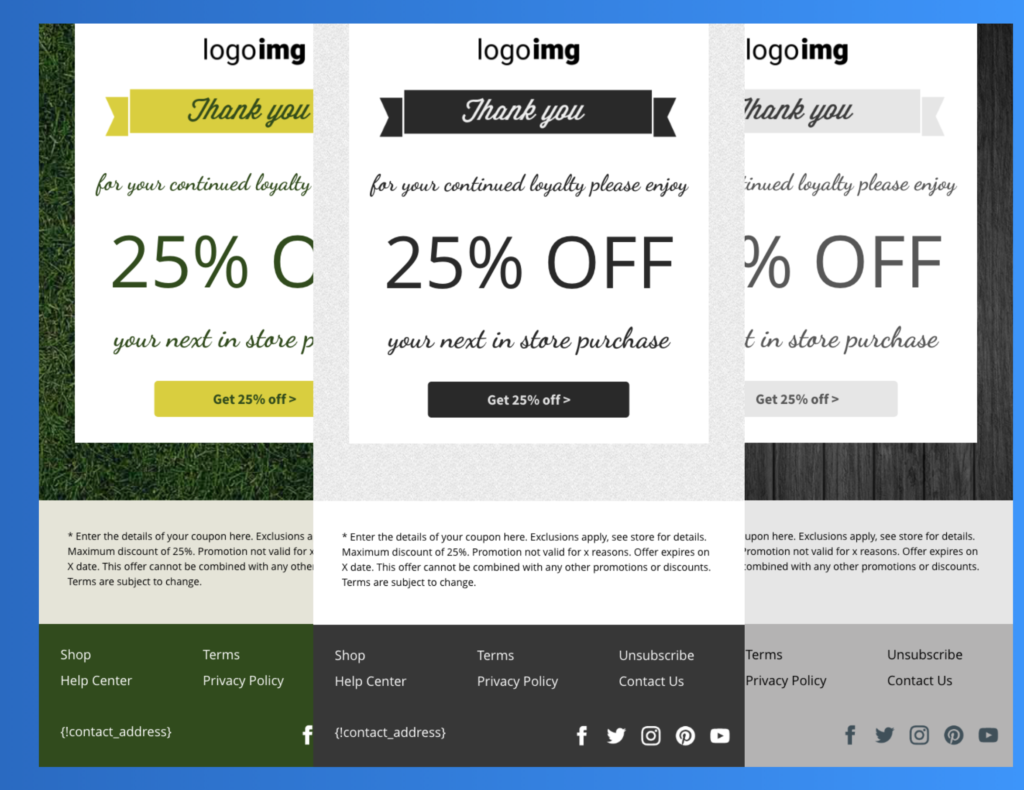
Show your appreciation after a purchase with a thank you email and a coupon to help drive additional sales. Who doesn’t love a thank you email with a discount on your next purchase? AWeber has a variety of templates with different coupon options that you can customize.
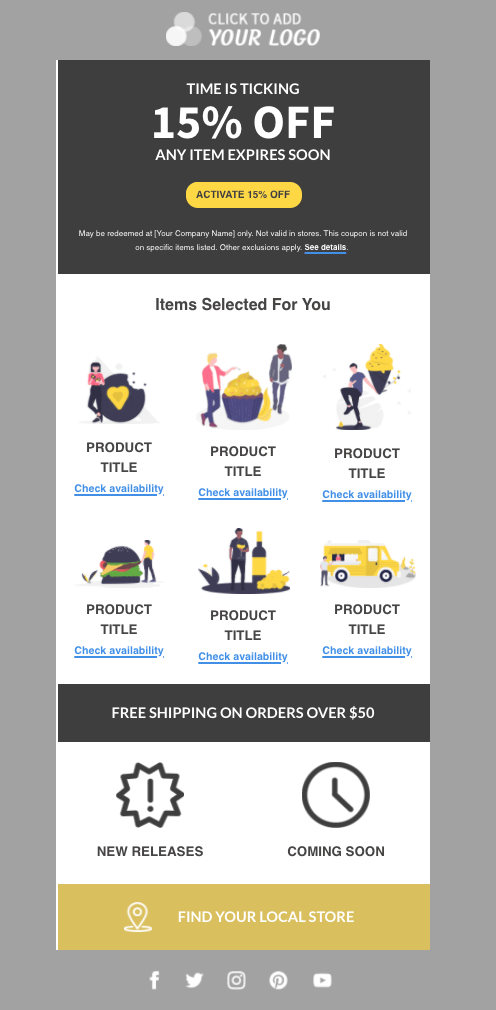
Want to sell products or drive people to your store? AWeber has welcome templates — designed to highlight individual products. There are various layouts, and you can easily add or change elements in AWeber’s drag-and-drop email editor.
Easily showcase your online or retail store with the templates in AWeber’s template gallery.
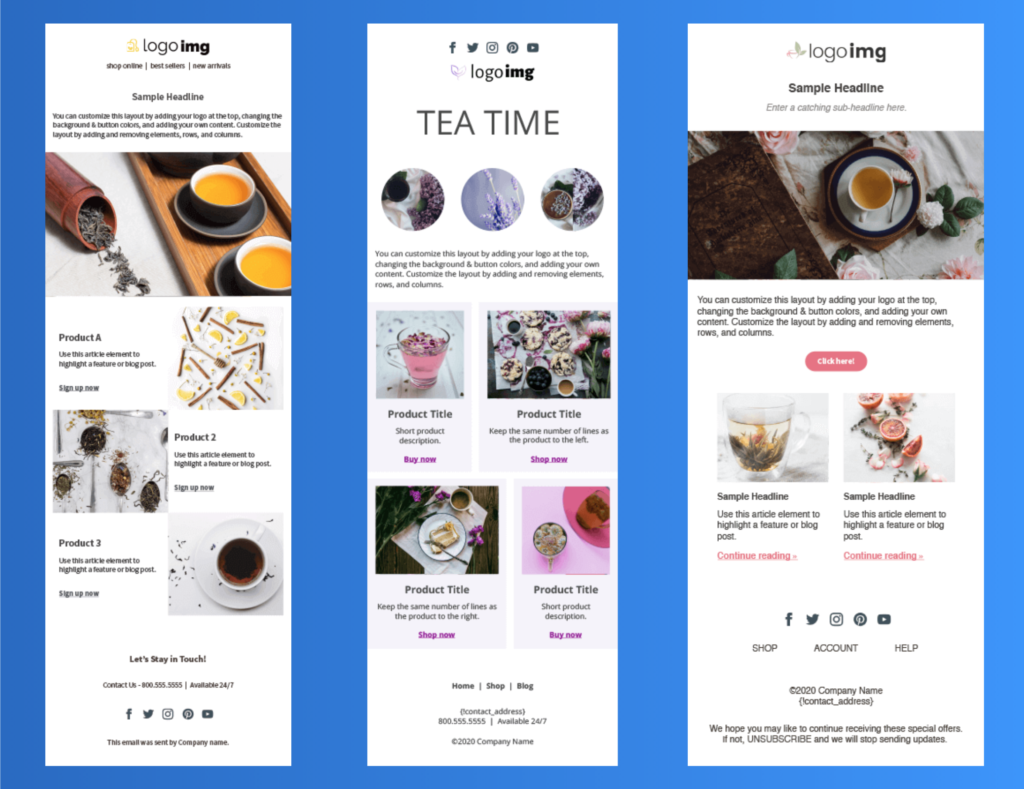
Event sign up thank you and reminder email templates
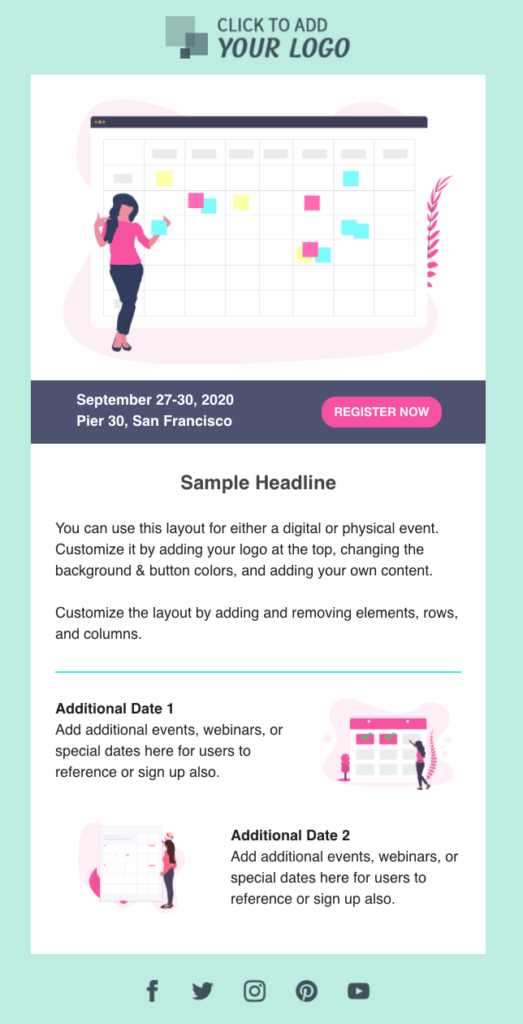
Welcome emails for an event sign up can serve multiple purposes. Send registrants information about their event, and get them excited about additional events. You can easily customize your welcome email to include tips on the type of content you may want to include, like other events, webinars, or information or links that may help your attendees.
Individual blog content or blog digest
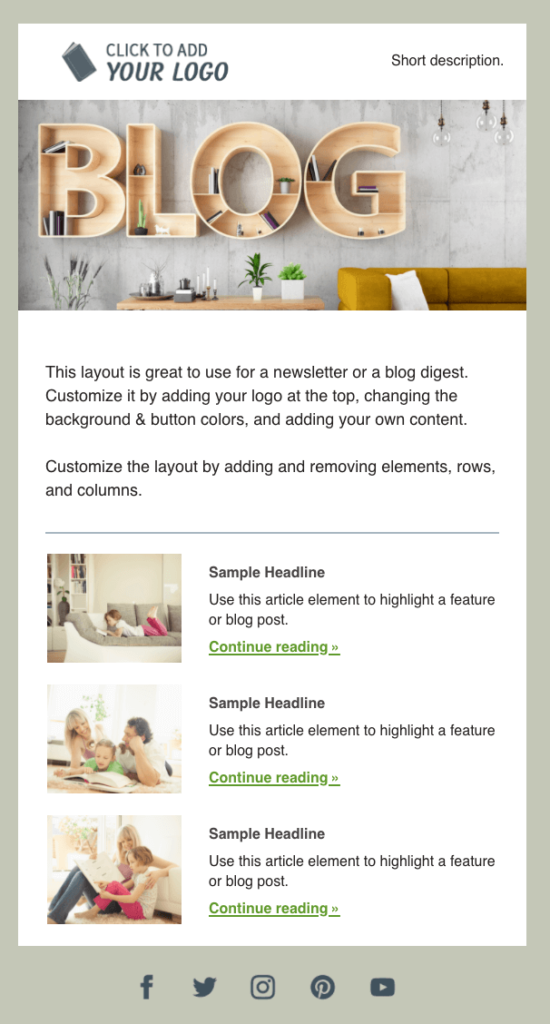
When your subscribers sign up for your blog content, AWeber has some great content templates you can use to send either individual blog content or a blog digest. A blog digest is an email that links to a series of individual blogs.
Welcome templates for popular blogger categories
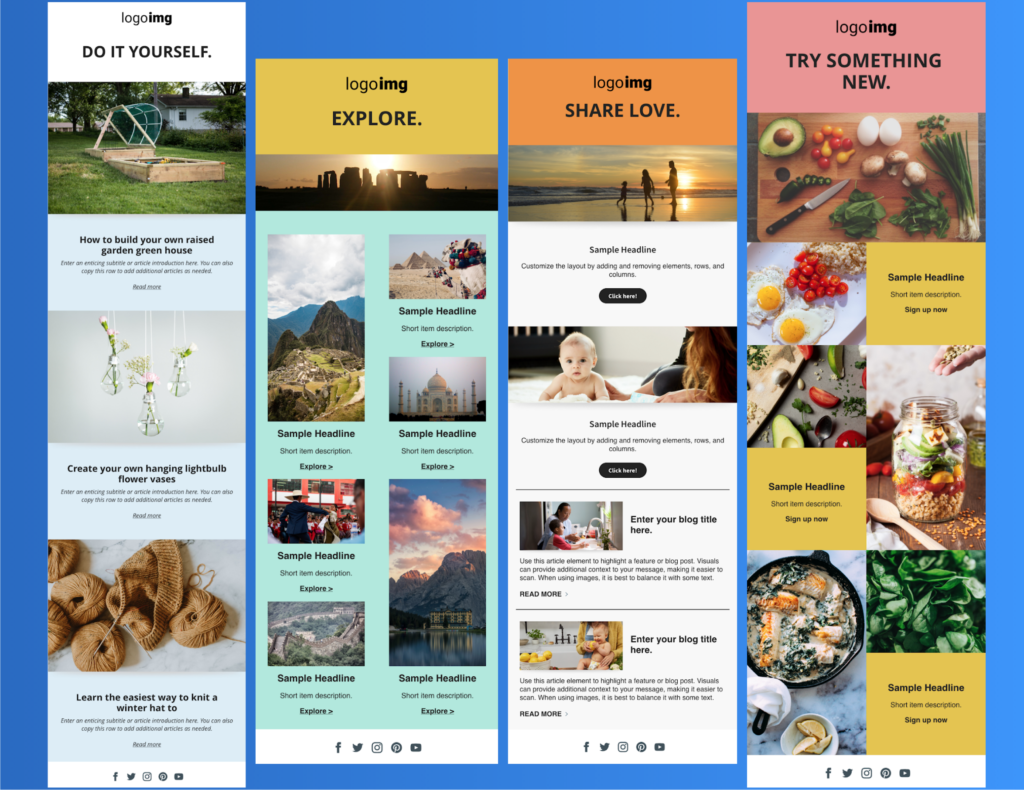
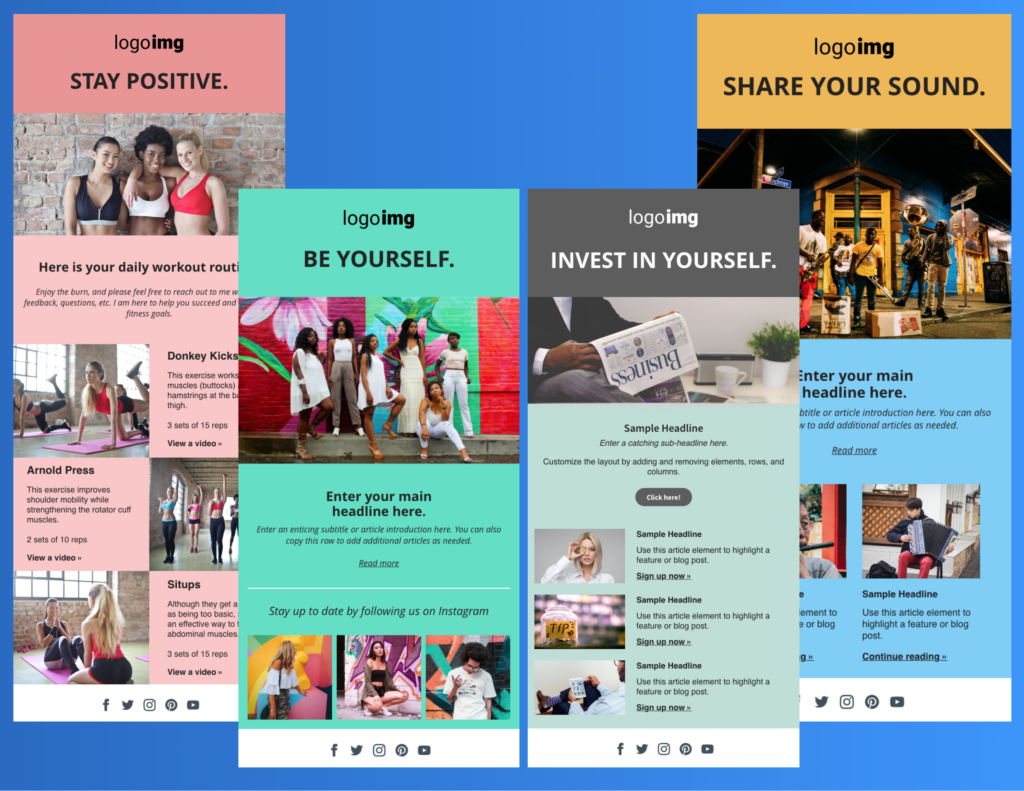
AWeber’s template gallery includes popular blogging categories — including DIY, Travel, Parenting, Food, Fitness, Fashion, Finance, and Music. You can use the stock image in each template, upload a different picture from AWeber’s image gallery, or upload your own images.
Welcome templates to request feedback about a purchase or download
Welcome emails can be a perfect opportunity to learn more about your audience. Right after a purchase or download, ask for feedback to get them engaged with your business. Ask them what they thought of your product and send them links to other relevant information.
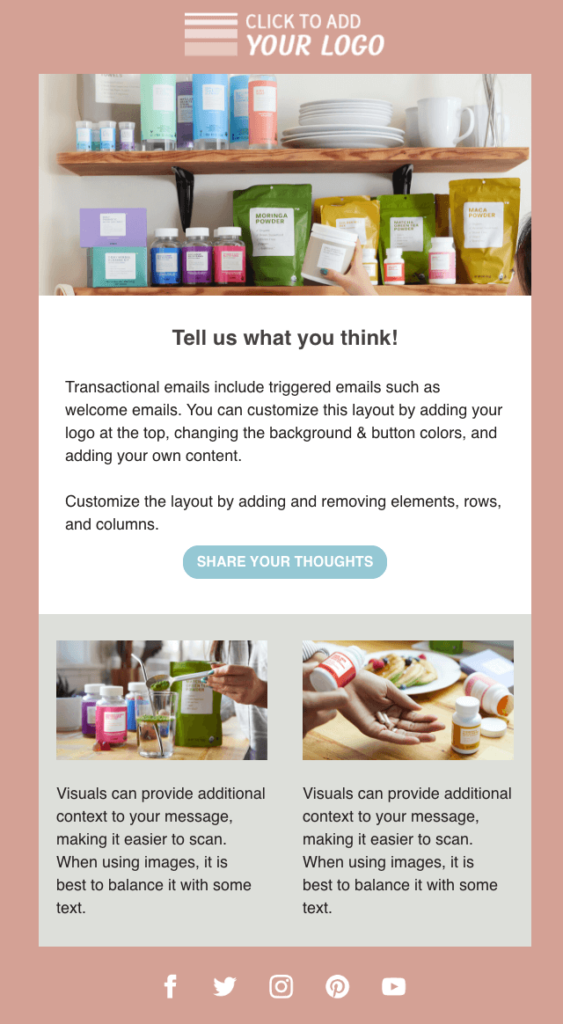
Simple thank you email
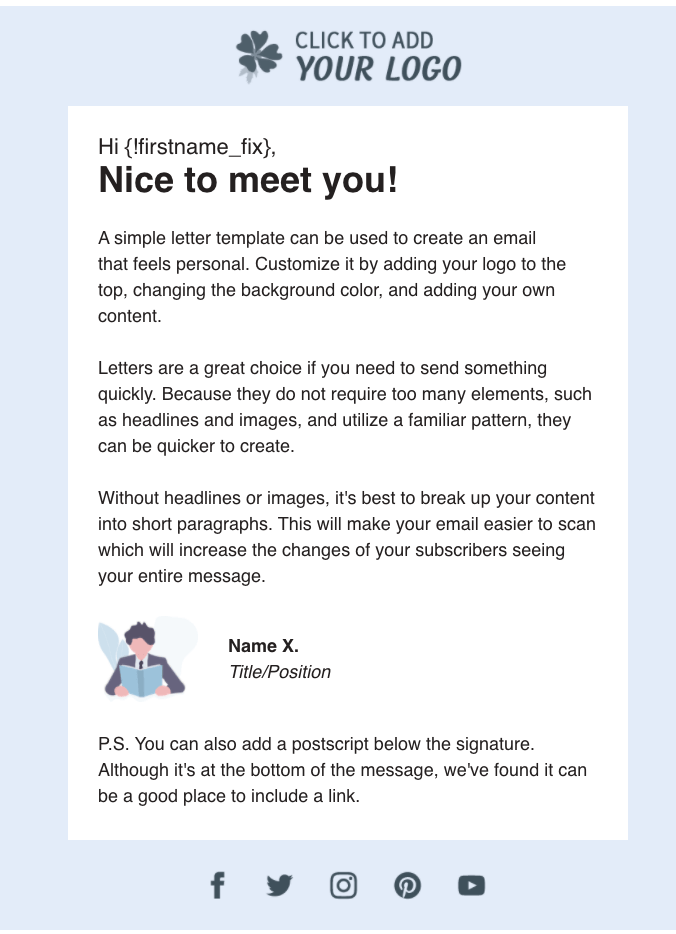
Welcome emails don’t have to be complicated. A simple thank you note lets your new subscriber know how much you value and appreciate their business.
AWeber’s email templates include content tips. For example, if you are not using headlines and images, it’s best to break up your content into short paragraphs to make it easier for your audience to scan your email.
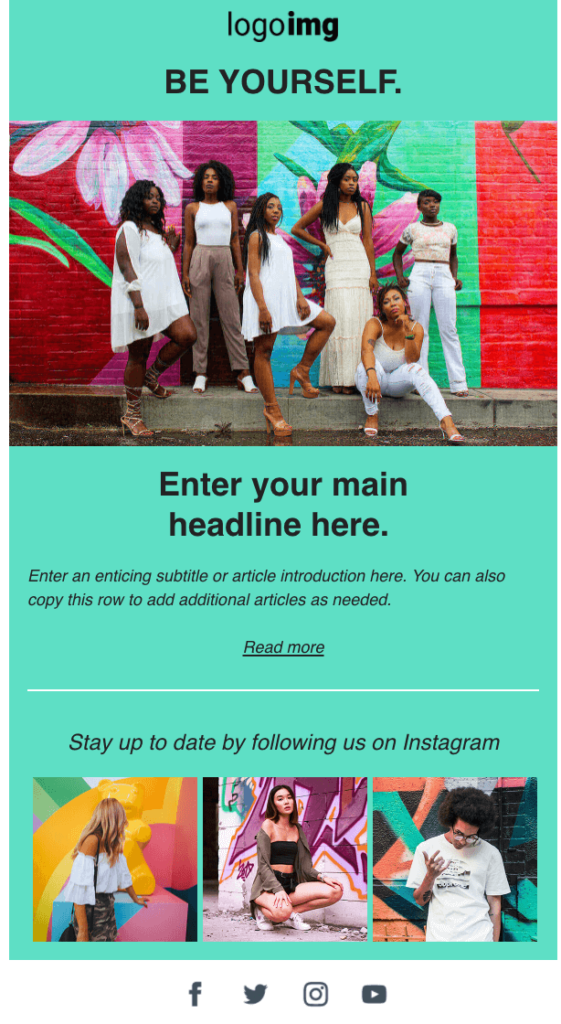
Leverage your social media content
When you welcome a new subscriber and introduce them to your brand, AWeber has several email templates purposely designed to help you introduce your audience to social media followers.
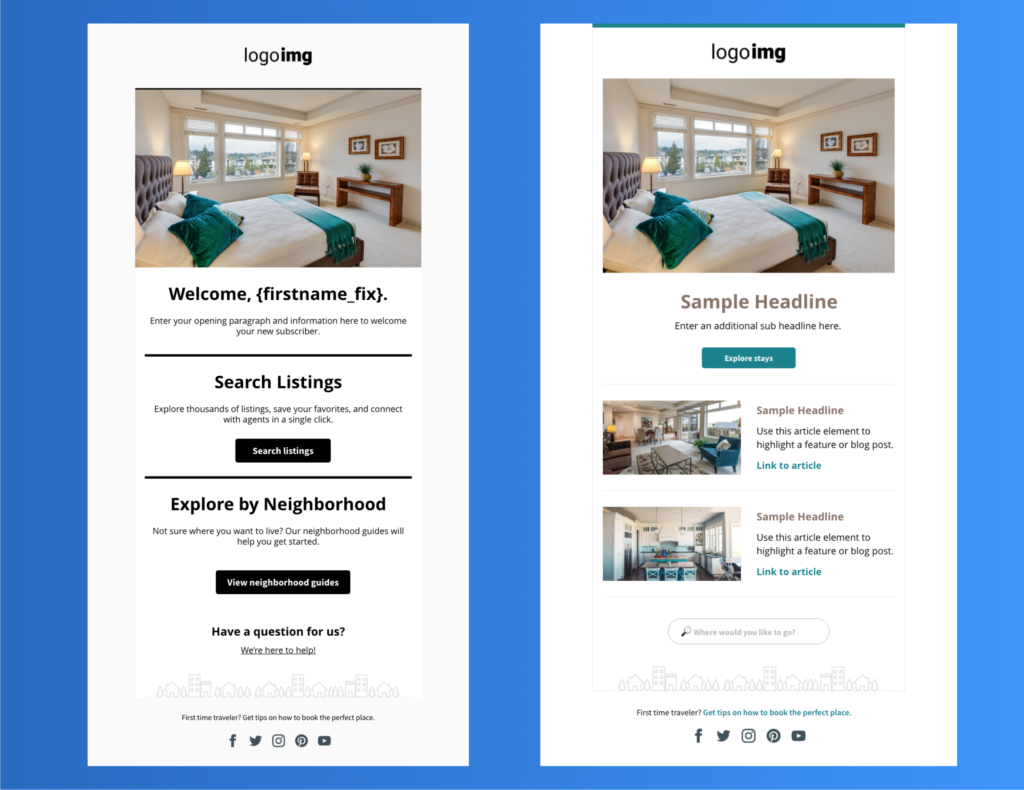
Select Welcome emails based on vertical
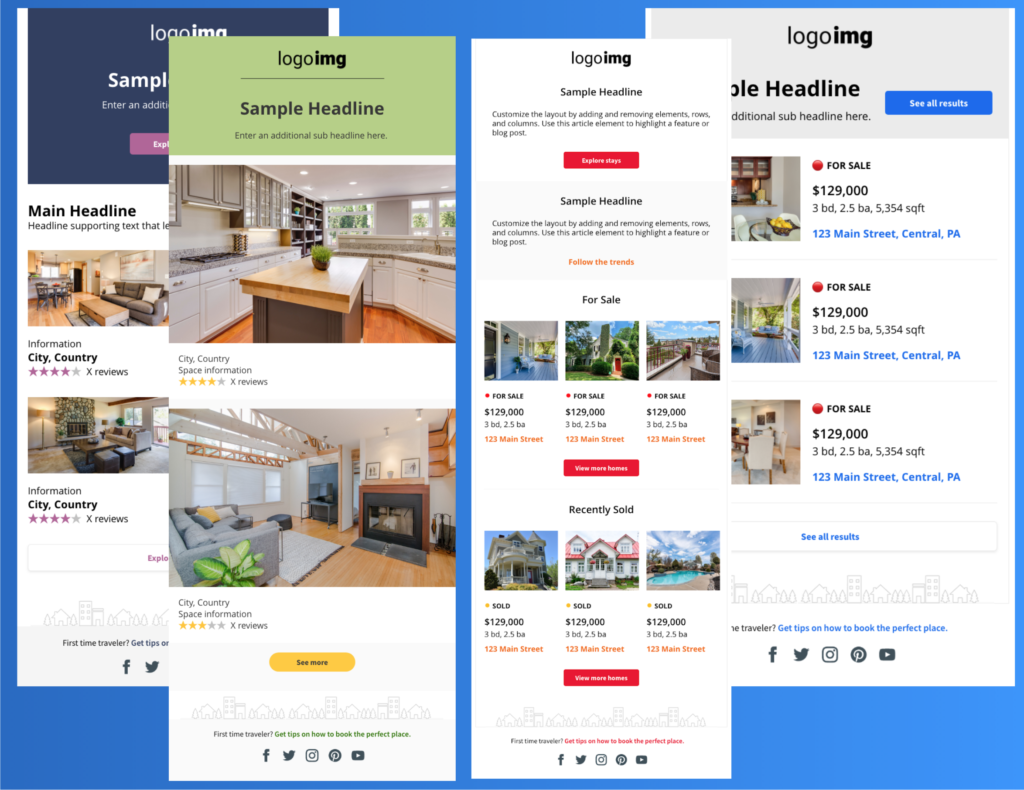
AWeber offers several design options based on your vertical. The design options in the Real Estate template were inspired by some of the leading businesses in the real estate industry. Each template is a little different but creates a great foundation to help real estate agents promote homes on the market.
A special announcement or limited time offer
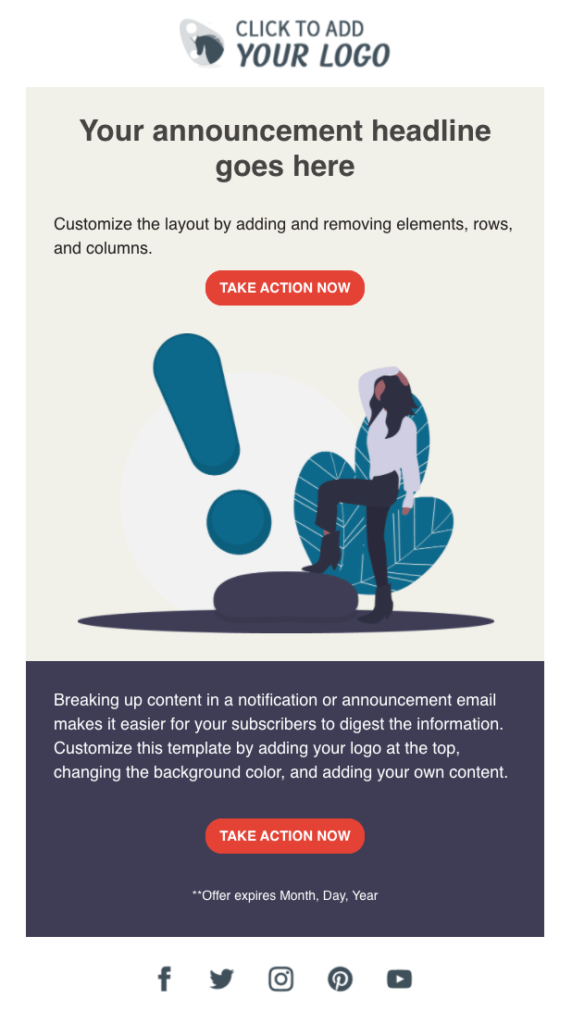
In your welcome email, you can keep your audience informed about a special offer. The following email gets right to the point about a special announcement and includes a call-to-action to drive your audience to the desired action.
The essential elements of a welcome email
There are nine essential elements that you should consider including to help you create a welcome email that converts.
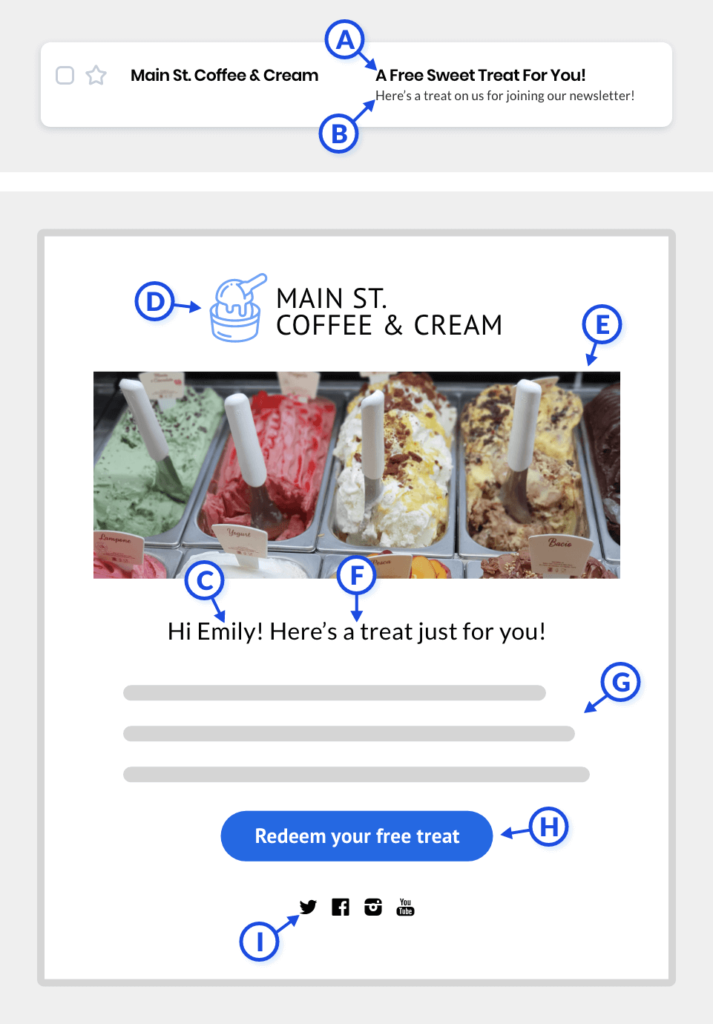
A. Subject line – The first text people see when an email reaches their inbox. Keeps the subject line informative, catchy, and brief.
B. Pre-header – Gives the reader a second reason to open an email. It should support and connect to the subject line.
C. Personalization – Add a personal touch to the subject line, greeting, or in the body of the email copy and connect with your audience.
D. Color and logo – Achieve brand consistency when you brand your emails with your logo and primary brand colors.
E. Image or video – Help your new subscriber get to know you and your products with rich media that includes video, images, and GIFs.
F. Headline – A statement to grab your subscriber’s attention and encourage them to keep reading your email.
G. Body copy – Explains the benefits of subscribing, what to expect, and information for the reader to get to know you and your product.
H. Call to action – The one action that you want your audience to take as a result of reading your email.
I. Social media – Add your social media accounts to drive your email audience to connect with your social media content.
A welcome series can have even more impact than a single welcome email
AWeber has pre-written, automated email campaigns that will help you save time and market your business — even while you sleep.
Use our automated welcome email series to welcome new subscribers to your list and build a relationship with them. It is a three message series introducing new subscribers to your brand and the best content you have to offer.
Simply import the campaign, personalize the content to your business, and hit activate. The video below takes you step by step through the process.
Best free email marketing solution
Our mission is simple: to deliver powerfully-simple email marketing tools to help small business owners and entrepreneurs — like you — grow your business.
AWeber Free is our completely free email marketing and landing pages plan — perfect for those who are just getting started or kicking off a passion project. We’ll give you everything you need to start building your audience today.


SriHari HS
9/25/2008 1:16 amBut using these html templates trigger spam assasin?
what good would a great welcome email be if it ends up in the spam folder?
Jonathan Senior
9/25/2008 4:57 amNice one Bob,
we have just switched over to the html templates recently
A like the idea of reminding the customer to add the address to their address book.
I am working my way through all the email clients & doing a short camtasia showing how to add someone as a safe sender
Done outlook & googlemail
Still to do
Thunderbird, hotmail, aol etc
are there any figures on the client software used by recipients?
Justin Premick
9/25/2008 8:18 amSriHari,
I haven’t seen the email you created in your account for which you’re concerned about your score, but I can offer a couple general points on HTML email and SpamAssassin:
1. SpamAssassin is a guide designed to help you identify emails that may be likely to be filtered. It’s not a set of absolute, "you-must-never-break-these" rules.
2. Be careful not to micromanage your score (there’s really not much difference between a score of 0 and a score of 2, for example).
Unless your score is especially high (at 5 or above), your message is not considered "spammy" by SpamAssassin and I wouldn’t spend much time/effort on reducing your score.
3. Sending HTML emails typically does not in and of itself cause filtering problems.
The problem arises when you either:
(a) send HTML emails without including a plain text version; or
(b) use HTML to create emails that are indeed "spammy" – emails that consist of one gigantic image and no text, for example, or where all text is in 30pt bold red caps (I’m exaggerating here for effect, but hopefully my point is clear).
Email deliverability consists in far more than just the content of your messages, and while SpamAssassin is a helpful tool, don’t place more emphasis on your score than it deserves.
Jonathan
9/25/2008 8:29 amI used the sample with the colours changed and it scored 0.7 on the spam assassin reading
Tobias Fransson
9/30/2008 4:09 amI love this welcome message template.
Very functional and useful. I for one know just how hard it can be to
create a good html template since I have designed one myself that didn’t
up to good.
now if we can get a standard template that has similar functions inside it
and built the same way as this welcome template, including the
send this to a friend / did a friend send this to you subscribe thing
that you guys at aweber use in the template it would be sweet
now that I have set the "visual" tone for my newsletter through the
welcome message I would like to continue using it.
Thanks for a great template
nich
9/30/2008 6:04 pmGreat welcome template. I’d like to see a ‘success story’ template for my business profiling case studies or success stories of businesses we consult for.
Hope
10/3/2008 1:30 pmGreat job!
When will the next template come out? As Tobias stated, I’d love to keep the same visual theme for the follow-ups I just created.
Steve Arsenault
10/8/2008 2:53 amHi Jonathan,
This company shows users how to whitelist their email address for a variety of email clients.
http://www.intrawest.com/whitelist/index.htm
Justin Premick
10/8/2008 9:56 amHi Hope,
New templates come out every couple weeks. This one came out on Sep 24th so the next one will be coming shortly.
Jonathan
10/8/2008 10:01 amHi Steve, top link – thanks
Just a few more camtasia files to do then….
Fiona Allen
10/10/2008 6:58 amThanks Bob, I have used Aweber before but got no response past the first email, if that! Now I know why… I will most certainly be using your "Welcome" Email template in my new campaign. I knew there was a reason why I didn’t go with your competition!
Tami Close
10/19/2008 7:38 pmHi,
I would love some special assistance with creating e-mail to subscribers. This is all new for me and would appreciate it until I fully understand it.
What’s the best plan for me to do this?
Tanmay
10/28/2008 9:50 pmHi,
Thanks for putting up a clean template and the ‘free’ download. It does saves a lot of time and effort to modify than to create new.
Free HTML Email Template: “Download” - Inbox Ideas: Email Marketing Tips by AWeber
10/29/2008 10:52 am[…] the positive response to our last free HTML email template, “Welcome”, I set out to create more HTML email templates to suit specific common types of emails you […]
Cassandra Rae
10/30/2008 11:47 amOh my heaven this is fabulous! Thank you
Kristin MacLaughlin
11/12/2020 12:20 pmCassandra – I am so glad you liked them. I agree.
Excellent HTML Newsletter Templates – Best Of | Tools
11/4/2009 8:37 am[…] WelcomeThis is a perfect email template to use send when youre welcoming new members to your service. […]
Kristin MacLaughlin
11/12/2020 12:19 pmI completely agree. Thank you for sharing your thoughts with our readers.
C
12/14/2009 4:53 amVery good HTML Email Template, i have just used it on my outlook express and its working perfectly. Thanks.
Kristin MacLaughlin
11/12/2020 12:18 pmC- I love that the templates are working for you.
Yvonne
2/3/2010 11:09 amI’d like to see:
1) Coupon templates for special offers
2) Event invitations (Constant Contact offers these)
3) Survey templates (Constant Contact offers these)
4) Paypal-ready templates (i.e, a template that lets you advertise a limited number of products or services, and lets clients click a buy now button that takes them to your order page.)
5) Video-ready templates (plug-n-play your video message into the templates)
S
9/20/2010 4:33 amThanks for the E-mail template!
Kristin MacLaughlin
11/12/2020 12:17 pmS- Our designers have more to share in the coming weeks. I can’t wait to share them with the AWeber customers.
B
10/28/2010 11:31 pmGreat email template.
Kristin MacLaughlin
11/12/2020 12:16 pmB – I agree, our designer Jeni did an awesome job on the templates. Thanks for your kind message.
S.T.
11/26/2010 1:32 amThank you. It’s clean and simple.
Kristin MacLaughlin
11/12/2020 12:15 pmS.T – I am glad you liked them.
Jim Campbell
1/8/2011 2:02 pmVery nice. Please keep going Aweber and make them better and better. We and our clients are counting on you. Keep up the great work!!
Kristin MacLaughlin
11/12/2020 12:14 pmJim –
Thanks for your note – I will pass your comments onto the design team.
C C
9/10/2011 12:56 pmSuperb! Nice job! forsure I will use this template!
Thanks 🙂
Kristin MacLaughlin
11/12/2020 12:13 pmCC-
I am so glad you liked them. I will pass along your comments to the design team.
Vandan D. Pathak
8/28/2012 3:27 pmVery nice. Please keep going Aweber and make them better and better. We and our clients are counting on you. Keep up the great work!!
Superb! Nice job! forsure I will use this template!
Thank you. It’s clean and simple.
I’d like to see:
1) Coupon templates for special offers
2) Event invitations (Constant Contact offers these)
3) Survey templates (Constant Contact offers these)
4) Paypal-ready templates (i.e, a template that lets you advertise a limited number of products or services, and lets clients click a buy now button that takes them to your order page.)
5) Video-ready templates (plug-n-play your video message into the templates)
Template for Podcasts
Oh, Please, Please with peanut butter and jelly on it & my kingdom for a Podcast Template.
Hundreds of sites on “how to” make a podcast but I’ve found nothing that offers the creativity, functionality and completeness of the “Welcome Message” template for Podcasts.
I do agree with Jorge’s 2 cents worth regarding “simplicity”.
I think the “Download” template could be modified for this but I like your suggestions made below:
This template might incorporate a mock player for click through, a place to summarize recent podcasts, and/or a recommended set up to display the transcript for your latest podcast.
BRAVO AWeber, impressive products.
Thanks Bob, I have used Aweber before but got no response past the first email, if that! Now I know why… I will most certainly be using your “Welcome” Email template in my new campaign. I knew there was a reason why I didn’t go with your competition!
Kristin MacLaughlin
11/12/2020 12:12 pmVandam –
You should check out our pre-written welcome series for podcasters. https://www.aweber.com/templates/campaigns/podcast-series.htm
Sam Evans
10/22/2020 2:35 amThank you so much for providing an informative article about HTML email templates.
Kristin MacLaughlin
11/12/2020 12:10 pmSam –
You are most welcome — make sure you check our the email template galley our designers are always adding or updating templates to help you grow your business.