Tips for creating email sign up forms proven to grow your subscribers
By Sean Tinney March 21, 2023
Your sign up form is the first step to gaining new email subscribers. It can make or break a visitor’s decision to receive your emails.
So it’s important that the copy, design, type and placement of your form is effective for your target audience in order to produce quality email sign ups.
But often, it’s challenging to know what to write on your form and how to design it for conversion.
Whether you’re creating your first or your fiftieth sign up form, there are a few best practices you should keep in mind if you want to attract more subscribers.
In this post we’ll guide you through:
- Type of email sign up forms
- Where to place your sign up form
- Tips to write sign up form copy that gets results
- Tips to design your sign up form
- Testing and optimizing your sign up form
- Case Study – 150% lift in engagement
Type of email sign up forms
There are a variety of sign up form types to choose from, and each has its own unique purpose. Here are a few of the most popular sign up form types and how they work.
1. Inline forms
Inline sign up forms are forms you embed within the body of a webpage. You can place inline forms anywhere on your webpage ⏤ at the top, bottom, in the sidebar, or anywhere within the content of your page. You can place them on all pages of your site or on specific pages.
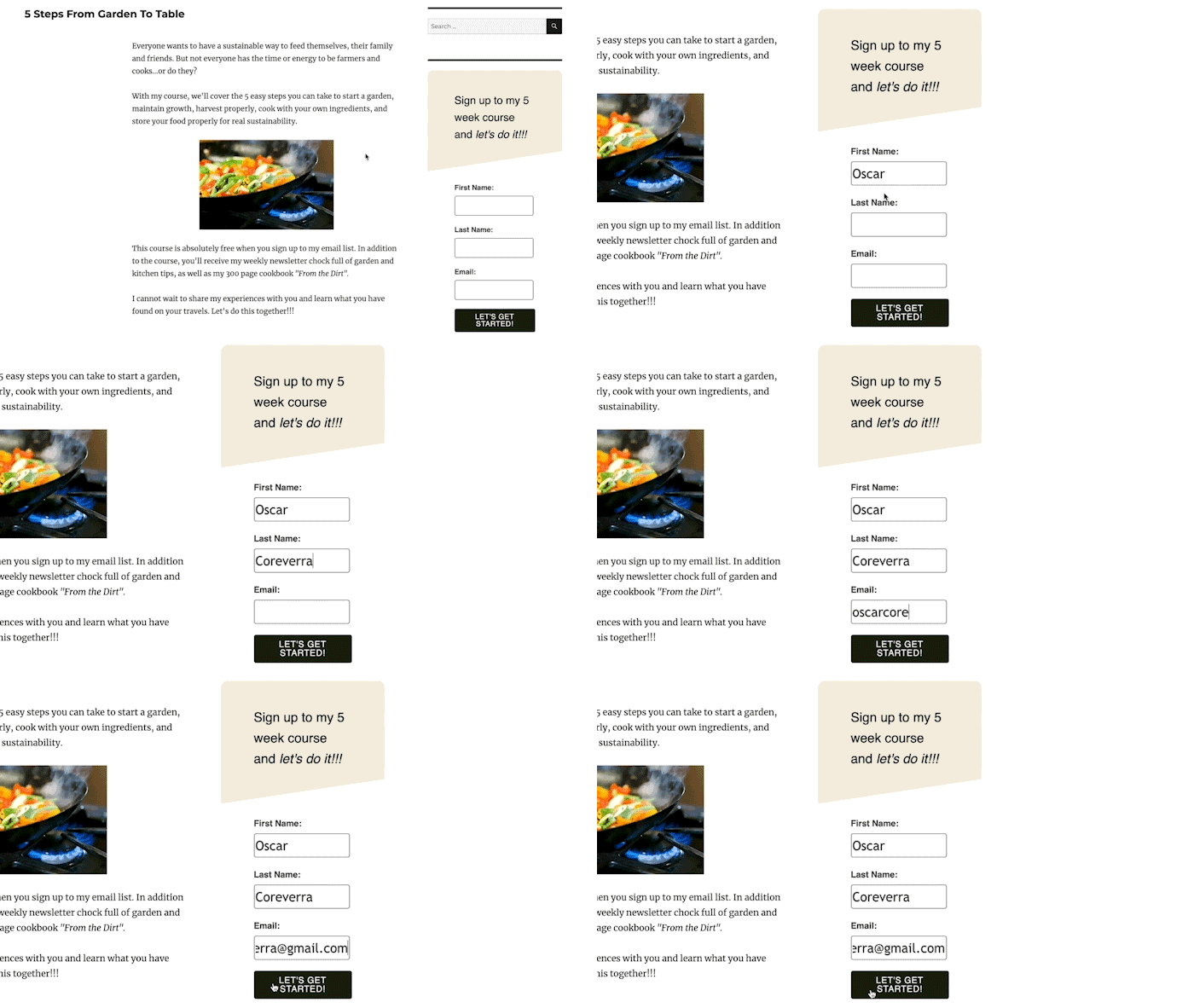
Pro tip: Use the AWeber for WordPress plugin to quickly and easily place your sign up forms on various pages of your website, and track the performance of your sign up forms.
2. Pop-up forms
Pop-up forms are not embedded within the content of your webpage. Instead, they appear or “pop up” at specific points during someone’s visit to your website.
These forms can pop-up or slide in from the side, top or bottom of your page. They can also blur out the surrounding page, or appear over the surrounding page without blurring it out.
Pop-up forms are a great way to increase subscriber sign ups because they grab your visitor’s attention, but they can also impact user experience. Fortunately, you can adjust the display settings of your pop-up forms so they are less disruptive to your website visitor’s experience.
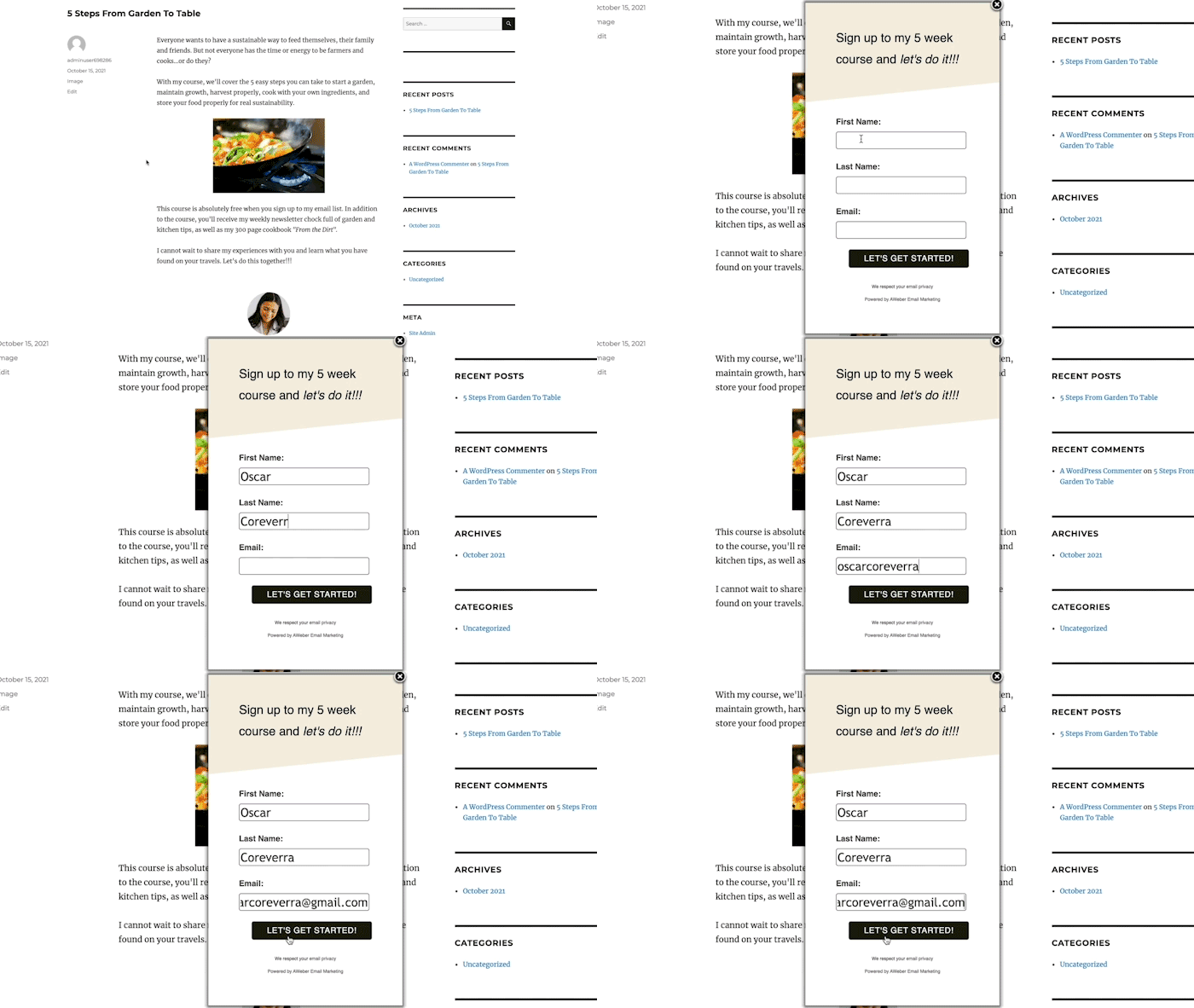
Pro tip: Use the AWeber Sign Up Form Builder to create pop-up forms and customize the display settings. Or integrate a third-party service like OptinMonster, MailMunch, or HelloBar with AWeber.
There are four other types of pop-up sign up forms that you can use:
Time-delayed pop-up
A time-delayed pop-up form doesn’t appear right away. Instead, this type of sign up form allows your visitors to view the content of your webpage before appearing.
When deciding on the ideal delay time, look at your web analytics to determine the average time on your site or page, and set the delay just before that. You don’t want them leaving your site before you present the pop-up form.
You can also control how often someone sees your pop-up form. For example, it can appear every time someone visits your site, only once, or every certain number of days.
Scroll-delayed pop-up
A scrolled-delayed pop-up appears after someone scrolls to a specific point on your web page. This type of sign up form allows your visitors to consume some of the content on your page before presenting the pop-up form to them.
Because these appear after someone has scrolled down your web page, you can be confident that your visitor is more engaged in the content you’ve provided.
Exit-intent pop-up
An exit-intent pop-up form appears when someone is about to leave your site. This type of sign up form is effective at saving lost opportunities. If someone didn’t find what they were looking for on your website, you can present them with an enticing offer to encourage them to subscribe.
Two-step pop-up
A two-step pop-up form appears after someone has clicked a link or button on your web page. This type of sign up form typically sees high conversion rates because someone has intentionally clicked the button or link to receive the incentive you are offering.
3. Landing page forms
Unlike a website with lots of pages, buttons, and places someone can navigate to, a landing page is a single page with a single purpose: to capture subscriber sign ups.
Landing pages don’t typically have navigation bars, menus, or other links you can click on the page. The goal of your landing page is to keep site visitors on the page and encourage them to sign up. Your website visitor has two choices: subscribe or leave.
Landing pages are an effective tool to keep your visitors focused on one thing. You can use images, videos, text, and more to emphasize the value you will provide when they sign up.
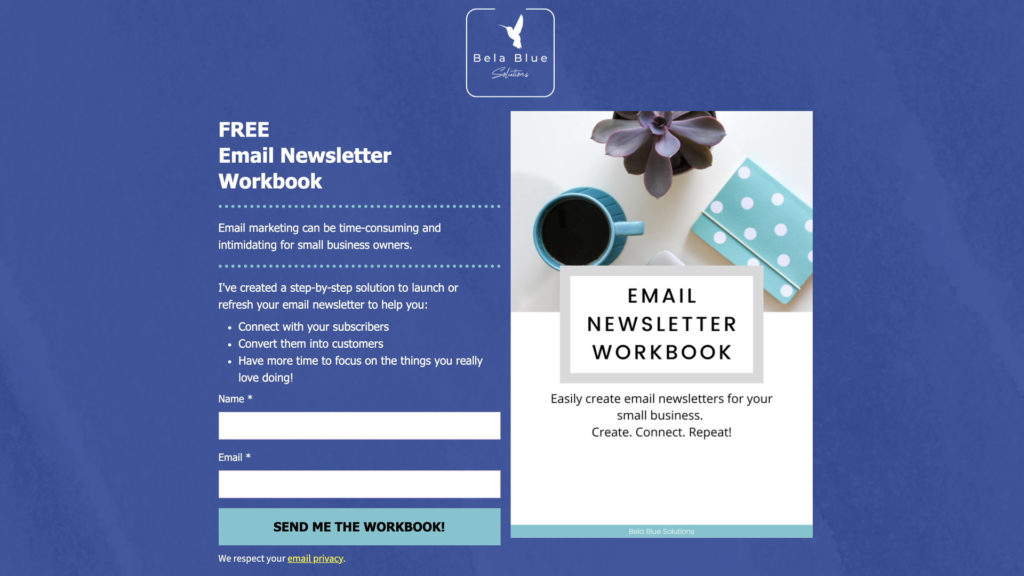
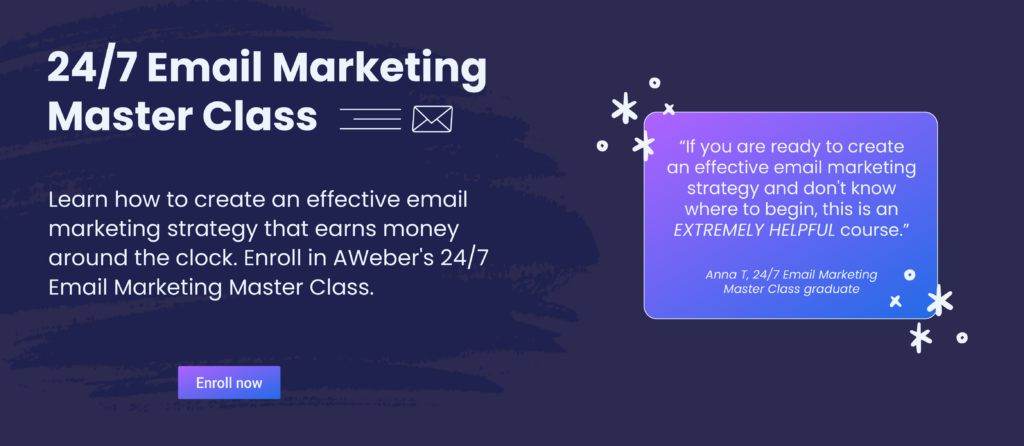
Pro tip: Start with a pre-built sign up landing page template and be ready to collect email addresses in 15 minutes.
Where to place your sign up form
Using different types of forms can help to improve each visitor’s experience with your site. While some may immediately interact with a pop-up form, others might respond better to a form that’s embedded on your site.
When deciding where to put your sign up form, a good rule of thumb is to find the most noticeable yet natural placements that don’t interrupt the experience someone has with your website.
By keeping your form contextual — relevant to the user’s experience and the content they’re consuming on your website, without feeling intrusive — you’ll be able to take advantage of the opportunities when people are most likely to convert.
Where to place inline forms
Generally speaking, you should have an inline form on every page of your website in your footer or sidebar. No matter where someone is on your website, they’ll have the opportunity to subscribe to your email list. Typically, the incentive you offer on this form should appeal to all of your visitors — even if they have different interests.
For example, you could offer a 10% discount coupon in exchange for subscribing or your latest tips, tricks, and best practices about your area of expertise.
You should also consider having your main incentive highlighted prominently on your homepage, such as at the top of the page.
You can also add inline forms within the body of a web page. These placements work best when the offer is related to the content of the page — for example, promoting a 4-step guide to shooting DIY videos on a blog post about videos.
Related: 25 brilliant lead magnet ideas to grow your email list right now
Where to place pop-up forms
Because most of your traffic will first arrive on your homepage, consider adding a pop-up form to your homepage to capture as many of your website visitors as possible. This should promote your main incentive.
You can also place pop-up forms for your main incentive on other high-traffic pages. You can identify these pages of your website by using a website analytics tool like Google Analytics.
Additionally, similar to inline forms, you can also add pop-up forms that are related to the content of the pages your visitors are on.
Tips to write sign up form copy that gets results
Your sign up form copy plays an essential role in highlighting the value you are offering your subscribers. To help you write copy that converts visitors into subscribers, here are a few ideas and examples:
1. Use a clear, concise headline
There should be no question what subscribers will get by signing up. Make sure you use a headline to clearly and concisely convey what you’re offering and how it will help new subscribers.
Example:
In this example from Coconuts & Kettlebells, the headline clearly and concisely communicates what the offer is: a free home workout program. The description highlights additional value points, including that it’s very comprehensive (72 pages!) and that it will help you get fit and have fun from home.
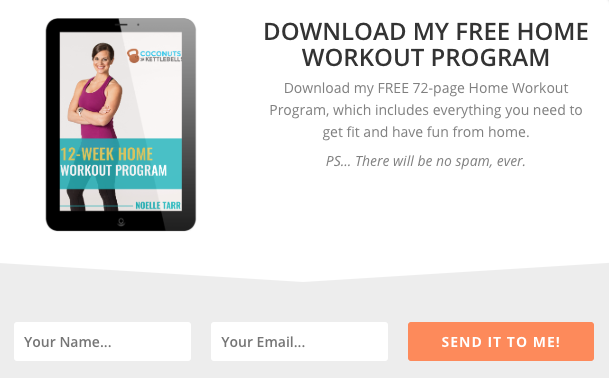
- Type of form: Pop-up
- Type of business: Fitness blog and podcast
- Goal of sign up form: New subscribers
2. Clearly communicate the value
Below your headline, expand upon the value you will provide your subscribers. Explain how your offer will solve a problem or answer a question they have. Make sure you clearly show the transformation that will occur if they subscribe. You can do with a sentence or two, or a bulleted list.
Example:
This landing page from Stepmom Magazine does a fantastic job articulating the value to the subscriber by including bullets of the types of content they’ll send subscribers.

- Type of form: Landing page
- Type of business: Lifestyle blog
- Goal of sign up form: New subscribers
3. Set clear expectations
Your sign up form should set clear expectations up front with your subscribers about what they should expect to receive from you now and in the future, and how often they should expect to receive it.
This not only reduces the risk of spam complaints or unsubscribes, but it also helps build trust with your subscribers.
Setting clear expectations as early as possible in the sign up process also helps you remain GDPR compliant.
Example:
This landing page from Cat’s Meow Village tells subscribers they can expect to receive fun, light-hearted emails every day for 21 days. As a subscriber, you know what to expect.
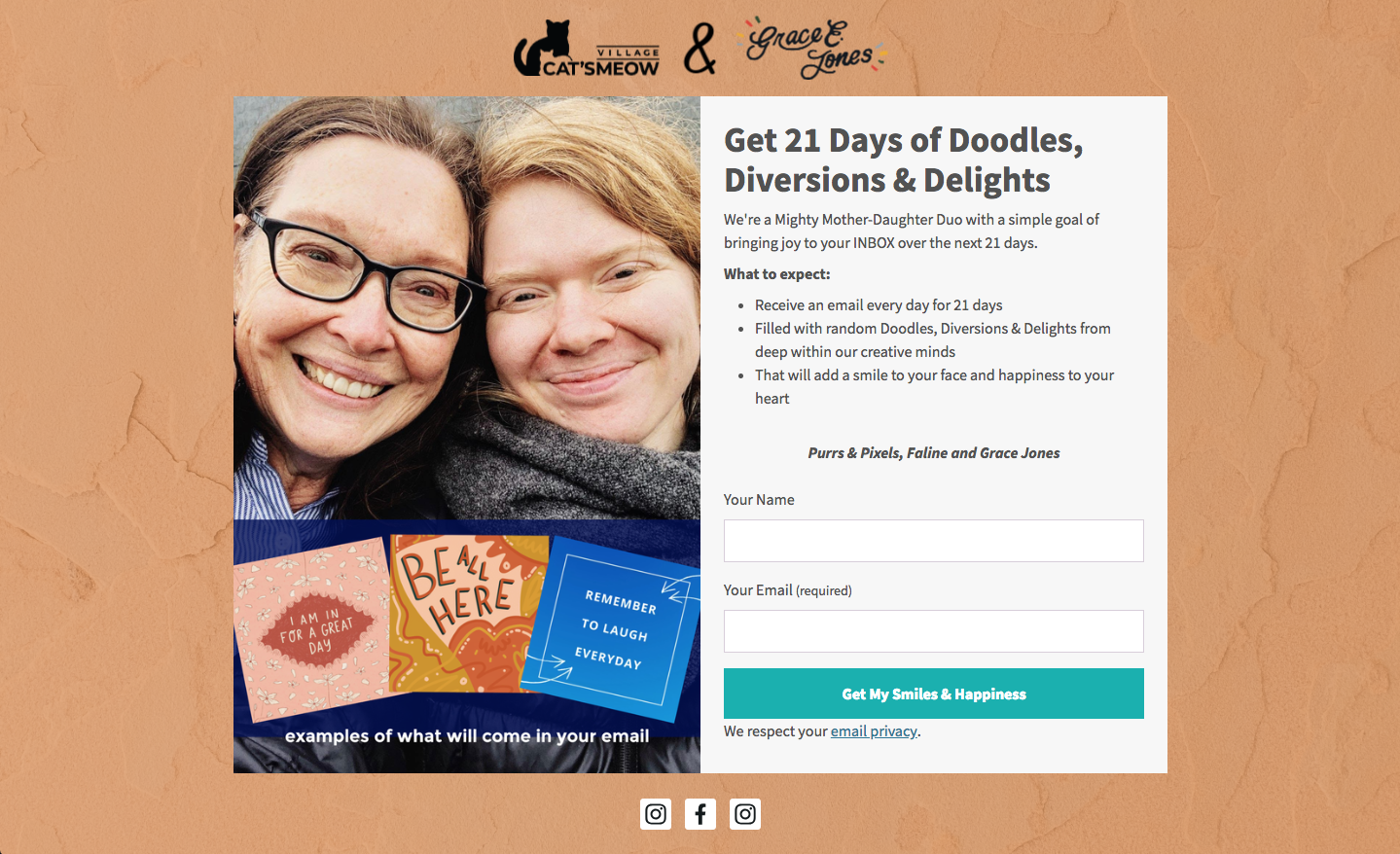
- Type of form: Landing page
- Type of business: Crafting & Ecommerce
- Goal of sign up form: New subscribers
4. Write conversational copy
Your website visitors don’t expect to see phrases like “Oh hey!” or “Hey you!” This copy attracts their attention, which you can use to hook them in and tell them what value they’ll get from being subscribed to your email list.
Example:
When you use conversational copy in your sign up form like Really Good Emails, it grabs the visitor’s attention and feels more personal.
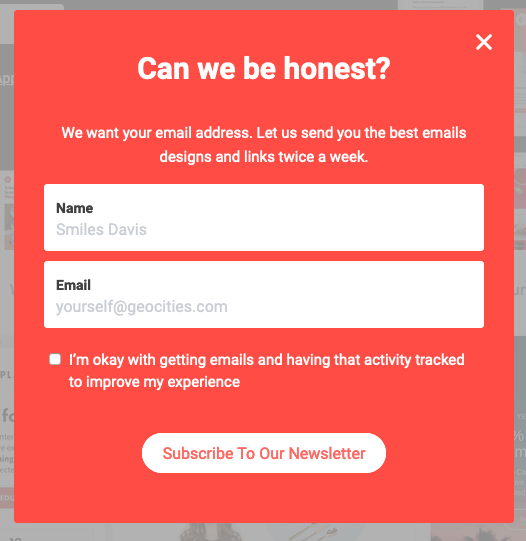
- Type of form: Pop-up
- Type of business: Email design
- Goal of sign up form: New subscribers
5. Be creative, witty, or humorous
Similar to using a conversational tone in your copy, being creative, witty, or humorous with your copy builds trust and allows your subscribers to relate to you more easily.
Example:
How Not to Sail uses creative and witty copy on his sign up form to delight visitors. Instead of using a button that just says “Sign Up,” this sign up form ties in the theme of his brand by using sailing terminology. The visitor will imagine themselves as a sailor climbing aboard a ship and sailing away.
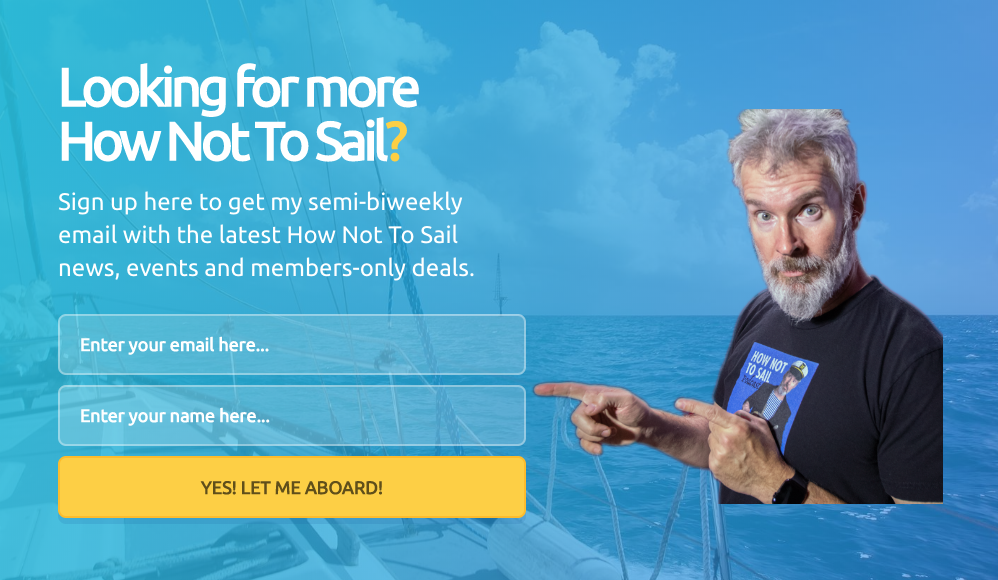
- Type of form: Landing page
- Type of business: Travel blog and podcast
- Goal of sign up form: New subscribers
Tips to design your sign up form
Design can have a major impact on how people perceive your form. That’s because 90 percent of first impressions are based on visual or color cues alone.
In order to maximize your sign up form’s potential, here are a few things to consider:
1. Keep input form fields to a minimum
Asking for too much information at the point of sign up can negatively impact your subscriber rates. Forms with fewer input fields are more likely to increase your conversion rates since visitors spend less time signing up.
In most cases, name and email address are all you really need.
But it also depends on your goal with your email sign up form. If it’s to get a new subscriber, ask for name and email ⏤ that’s it! If your goal is lead generation, perhaps you can ask for more information to help qualify that lead. Think about your goal to determine how many form fields are right for you.
Asking for the subscriber’s name can allow you to personalize your emails. And keep in mind, you can always gather additional information from your subscribers later on.
Example:
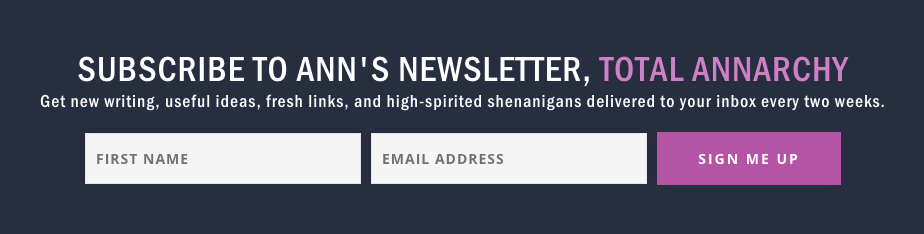
Ann Handley uses a sign up form that’s quick and simple with two form fields to make the subscription process easy for visitors.
- Type of form: Inline
- Type of business: Personal brand
- Goal of sign up form: New subscribers
2. Use a clear call to action
Use your call to action (or CTA) button to remind people of what they’re signing up for. A call-to-action button that simply says “Sign Up” isn’t just boring ⏤ it can be a total lost opportunity for attracting more subscribers.
When it comes to your CTA text, you have very few characters to work with – make them count!
First, the text on your CTA button should relate to the action your new subscriber is taking. For example, if you’re offering a free guide, your button could say, “Send me my free guide!”
Second, placing some urgency in your CTA can encourage visitors to take action. Think “Join now!” or “Yes, I want in!”
Third, using personal or possessive language on a CTA button can increase clicks. Phrases like “Send me updates!” or “Start my free trial” or “Download my free templates” help your soon-to-be subscribers connect with you.
Example:
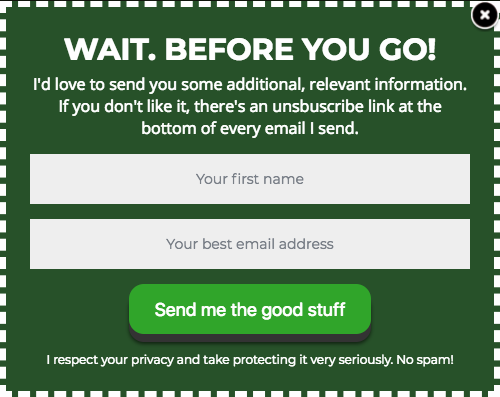
Here’s an example of how Paul Kirtley uses possessive language and text that relates to the action a subscriber is taking on his CTA button.
- Type of form: Exit-intent pop-up
- Type of business: Travel blog
- Goal of sign up form: New subscribers
Related: 10 Call to action best practices to get more email subscribers
3. Follow a hierarchy for font sizes and types
When writing headlines, subheads, and description text for your sign up form, it’s important to follow a typographic hierarchy for font sizes and types.
Typographic hierarchy is the process of “organizing and formatting your type choices in such a way that readers or users can clearly see what’s most important, which enables them to easily navigate the layout at a glance and quickly scan to find the information they’re looking for.”
When done correctly, typographic hierarchy makes a sign up form easier to read and understand, and can help a subscriber quickly and easily see the value in signing up.
When it comes to font size, your headline should be the largest text, followed by your subheads, and then your description text.
Stick with 1-2 font types (e.g., Arial, Helvetica, Verdana, etc.) on your sign up form. If you decide to use more than one font type, use a font type for your headline that stands out from the rest of your text.
Example:
This sign up form by FroKnowsPhoto uses good typographic hierarchy, with the headline being the largest font, followed by the subhead and description which are both a smaller font. He also uses various font styles (bold, italicized, all caps, etc.) to give visual interest to the text.

- Type of form: Slide-in form
- Type of business: Photography blog
- Goal of sign up form: New course students
4. Stick to 1-2 font colors
Similar to font types, stick with 1-2 font colors on your sign up form. Too many font colors can be distracting and make it difficult for subscribers to easily read and understand.
Example:
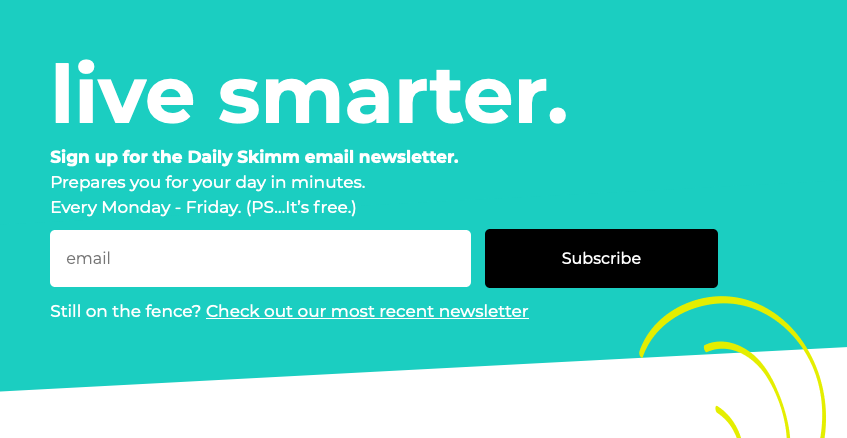
This sign up form by the Daily Skimm uses just white for their font color, and it works great.
- Type of form: Inline
- Type of business: News blog
- Goal of sign up form: New subscribers
5. Create color contrast
Using contrasting colors in your sign up form helps it stand out on your website. A bright color, like yellow, on a black and white website draws attention to the sign up form, which can increase the number of people who complete it.
Try using a bold color palette or font so that your form stands out from the rest of your content.
Example:
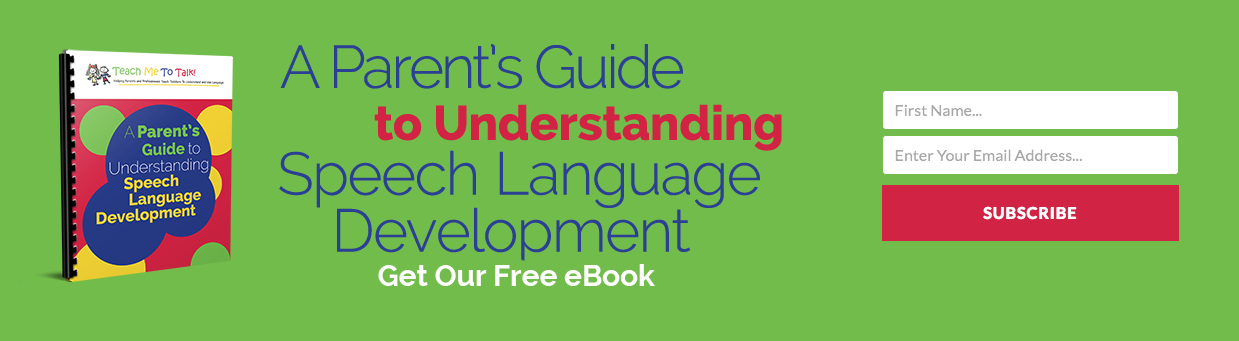
Teach Me To Talk uses a simple sign up form that easily spells out the incentive and value, while the color scheme attracts the attention of visitors.
- Type of form: Inline
- Type of business: Education blog
- Goal of sign up form: New subscribers
6. Visually represent your incentive
People love visuals – 90 percent of the information transmitted to our brains is visual. A great-looking, branded sign up form will do a better job communicating the value of your business and help you get more email subscribers.
Being able to envision the tangible benefits of signing up to your email list can often be that extra push over the edge in a person’s decision to subscribe. Not to mention sign up forms with images receive 94 percent more views than those without images.
A sign up form with a visual representation of your incentive is an effective way to entice visitors to subscribe.
Example:
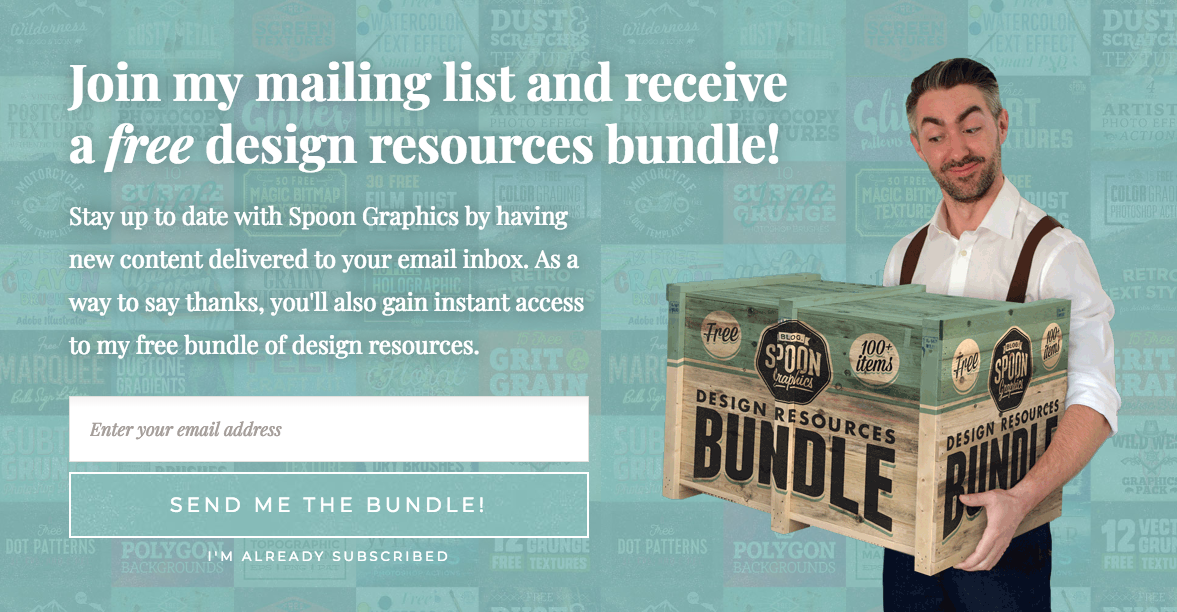
Spoon Graphics has a little fun with their visual graphic.
- Type of form: Pop-up
- Type of business: Design blog
- Goal of sign up form: New subscribers
7. Let subscribers choose their preferences
Letting your subscribers choose their email preferences can help with your email engagement rates because it allows subscribers to customize the kind of content they receive in their inbox. When subscribers are able to personalize their experience, they’ll get more value and engage more.
Example:
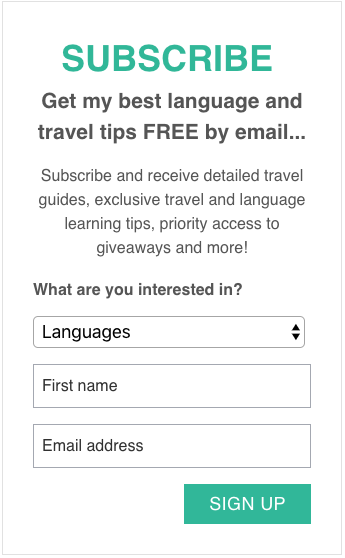
The Intrepid Guide’s sign up form lets subscribers choose their topic preferences, which can give them a more personalized email experience.
- Type of form: Inline form
- Type of business: Travel blog
- Goal of sign up form: New subscribers
8. Try presenting an unfavorable alternative
By positioning opting out as an unfavorable alternative, you can get visitors to think about the negative consequences of not subscribing and give visitors a compelling reason to join your email list. This copy can increase opt-in rates, because it positions subscribing as the better option.
This tactic works for pop-up forms or any type of form that can be dismissed. It doesn’t work for inline forms or landing pages.
Example:
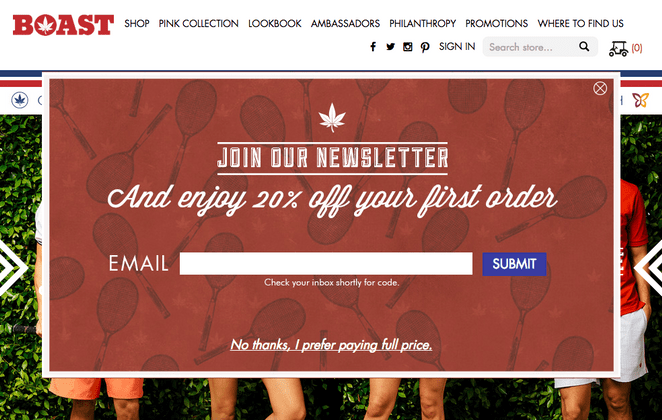
This sign up form by Boast gives subscribers a discount just for signing up, like many retailers do. What makes this copy different is the alternative Boast gives to those who choose not to sign up.
- Type of form: Pop-up
- Type of business: Apparel
- Goal of sign up form: New purchases
If visitors don’t want to sign up, they can click “No thanks, I prefer paying full price.” at the bottom of the form. Who wants to pay full price? Not many people would like that alternative.
9. Use social proof
Social proof is a strategy where you leverage herd mentality to convince people to take an action. If people see that everyone else is doing something, they’ll be more likely to do it themselves.
Social proof makes people feel good about signing up for your list. It gives them confidence that you’re not a spammer and that they’re making the right choice.
In the wise words of Peep Laja at Conversion XL, “No one wants to be the only idiot filling [out] your stupid sign up form.” So if you have the social proof, use it!
Example:
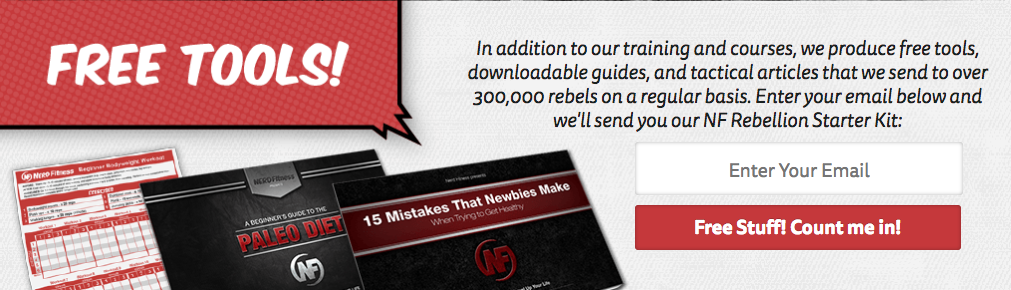
Nerd Fitness’s sign up form lets new visitors know that over 300,000 people are subscribed to their email list. Besides leveraging social proof, this also works because it builds trust. If visitors know that other people have signed up for their list (or read testimonials), they’re more likely to believe that they publish trustworthy and valuable content.
- Type of form: Inline form
- Type of business: Fitness blog
- Goal of sign up form: New subscribers
10. Try use a big CTA button
The reality is that more than half of website visits come from mobile devices. So the chances your would-be subscriber is viewing your signup form on a mobile device are very high. Make it easy for them to easily enter their information and tap the button.
Example:
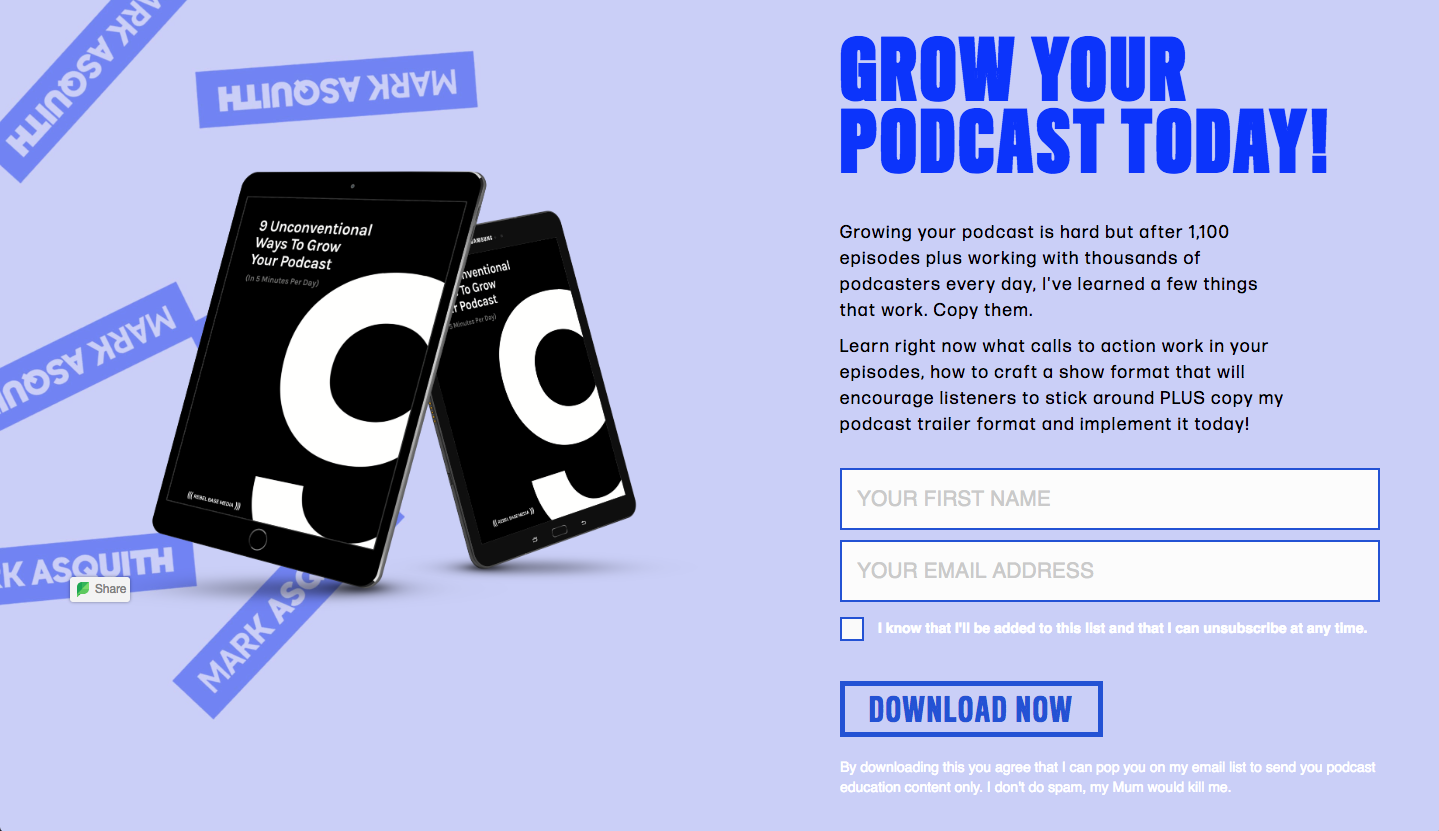
Mark Asquith’s sign up form has a big, bold button that reads “Download Now.” It’s easy to see, and, just as importantly, it’s easy to click or tap (including the checkbox).
- Type of form: Landing page
- Type of business: Personal brand
- Goal of sign up form: New subscribers
11. Use plenty of white space
Give your copy room to breathe by spacing out the copy, images, and form fields on your sign up form. This makes it easier for your subscribers to read and sign up, and helps your sign up form feel more professional, which can increase trust with your subscribers.
Example:
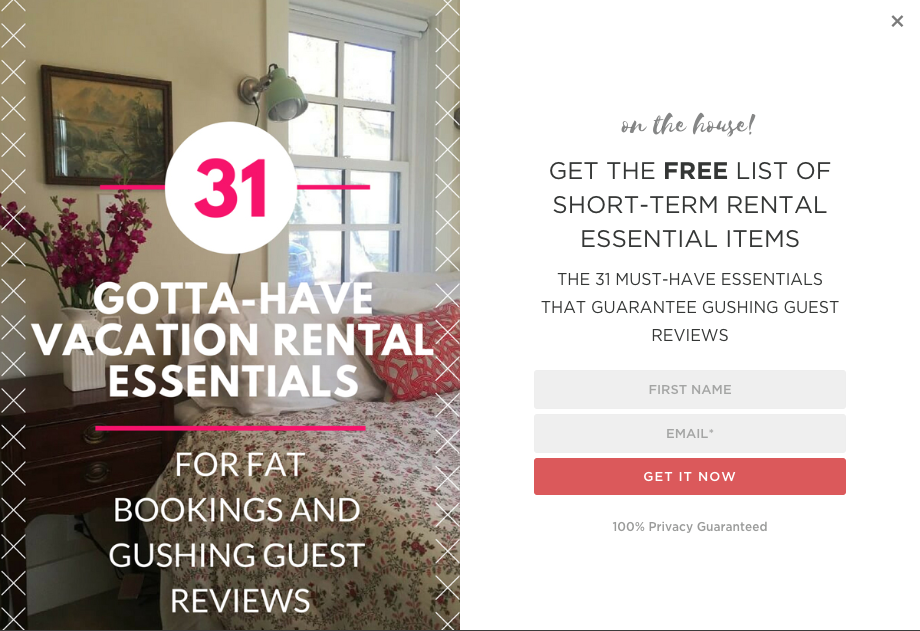
This sign up form by 1 Chic Retreat uses plenty of white space to give their copy room to breath.
- Type of form: Two-step pop-up
- Type of business: Fashion blog
- Goal of sign up form: New subscribers
Testing and optimizing your sign up form
Congratulations, you’ve published your sign up form! Give yourself a pat on the back. But don’t get too comfortable ⏤ your work is not done. It’s important to continually improve and update your form by testing various parts of it.
How do you know if your headline explains your incentive well enough? Or that your CTA button text is yielding the most clicks possible?
You can do some A/B tests (or split tests) to compare two versions of your sign up form and find out which one performs best.
Additionally, over time, your sign up form can become less effective because people will have seen it multiple times. If it didn’t entice them to sign up the previous times they saw it, it most likely won’t now. So every once in a while, it’s important to test updates to your sign up form with a fresh look.
Split testing your sign up form is easy and can help you easily optimize various elements of your sign up form.
You can test anything on your sign up form, including:
- Headline text
- Image vs no image
- Image vs video
- Description text
- CTA button text
- CTA button color
- Whether you ask for a subscriber’s name or not
- Timing of your pop-up form
- Placement of your sign up form
Pro tip: Use AWeber’s sign up form split testing to automatically perform an A/B test of your sign up forms.
Case Study – 150% lift in engagement
When AWeber was looking to freshen up our popular “What to Write in Your Emails” course, some subscribers told us they’d prefer more frequent emails, while others requested less frequent emails.
So we decided to let subscribers choose their own course email frequency. Subscribers simply selected their preferred email frequency on the course sign up form. Then, email automation delivered their course emails at their preferred time.
This simple change skyrocketed engagement. Open rates increase by 47 percent and click-through rates increase by 150 percent!
Want to see how we did it? Check out our step-by-step explanation.


