What is Email Safelisting and Why Is It So Important?
By Kelly Forst March 19, 2019
What if your emails never hit your subscribers’ inboxes? What if your messages always end up in their spam folders or promotions tabs instead?
It happens more than you might think. Luckily, there’s a super simple solution: email safelisting.
What is an email safelist?
Email safelisting — previously called “email whitelisting” — is when a subscriber adds your email address to their contacts list within their ISP, like Gmail or Yahoo!.
Think of your inbox like a door with two locks on it: a deadbolt and a doorknob. If one of them is locked, a message can’t get in.
AWeber works with the ISP to get all of our customers’ messages into the inbox. We essentially “unlock” the deadbolt for your messages.
However, we have no control over what happens on the individual level. Anyone that has an email account can set up their own filters, which locks the doorknob. Even though the deadbolt is open, your messages still can’t get in. Your emails may be sent straight to their spam folder or promotions tab.
That’s why safelisting is so important. When your subscriber safelists your email address, he or she unlatches the second lock for you, regardless of what filters they have activated. The door is open for your messages.
Plus, subscribers who safelist your email address signal to their email provider that your mail is wanted.
Getting subscribers to safelist you can also increase your overall reputation with an ISP. Since your message is delivered into your subscriber’s inbox, it helps increase reputation by increasing your read, open, and click rates as customers are more easily able to find and interact with your message.
And the higher your engagement rates, the better your deliverability to all your subscribers (whether they safelisted you or not!).
Related: 4 Things That Hurt Your Email Deliverability (and How to Fix Them!)
Safelisting doesn’t mean you can spam your subscribers . . .
Being safelisted isn’t a free pass, though. You can’t send your subscriber whatever you want, whenever you want. Once your safelisted, the ISP will keep a close eye on your messaging behavior to make sure you practice responsible email marketing, and that you’re not violating the CAN-SPAM Act.
If you take advantage of your safelist status by spamming your subscribers, your deliverability reputation with that ISP will suffer and hurt your results over the long haul.
How do you get subscribers to safelist you?
Ask them. It’s that simple!
Here’s a quick example of what you can write. (Feel free to tweak it to match your brand’s voice and tone.)
Take this important step! To make sure you receive emails from me, add my email [enter your email address here] to your contacts list. By adding me, you ensure my messages, special offers, and invites make it into your primary inbox.
Below are some more examples of how to incorporate safelisting instructions into your content.
In your Welcome email
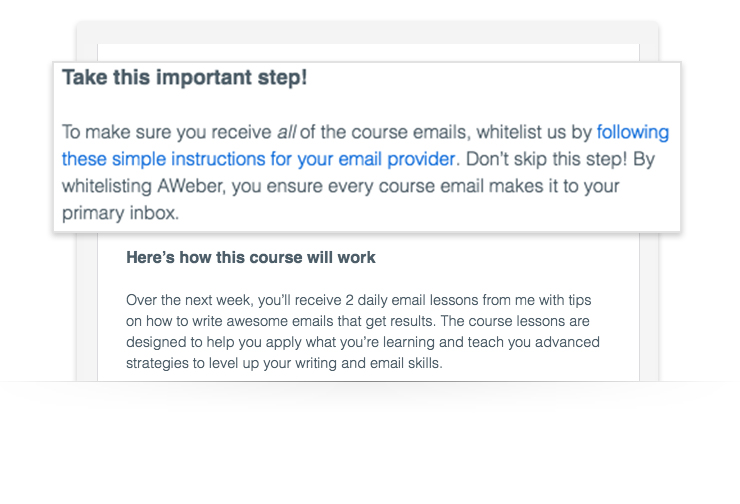
What to Write is one of AWeber’s most popular free email marketing courses. It teaches you how to effectively write an automated email series — and also includes 45+ downloadable fill-in-the-blank templates. The very first email is a Welcome email that includes short safelist instructions.
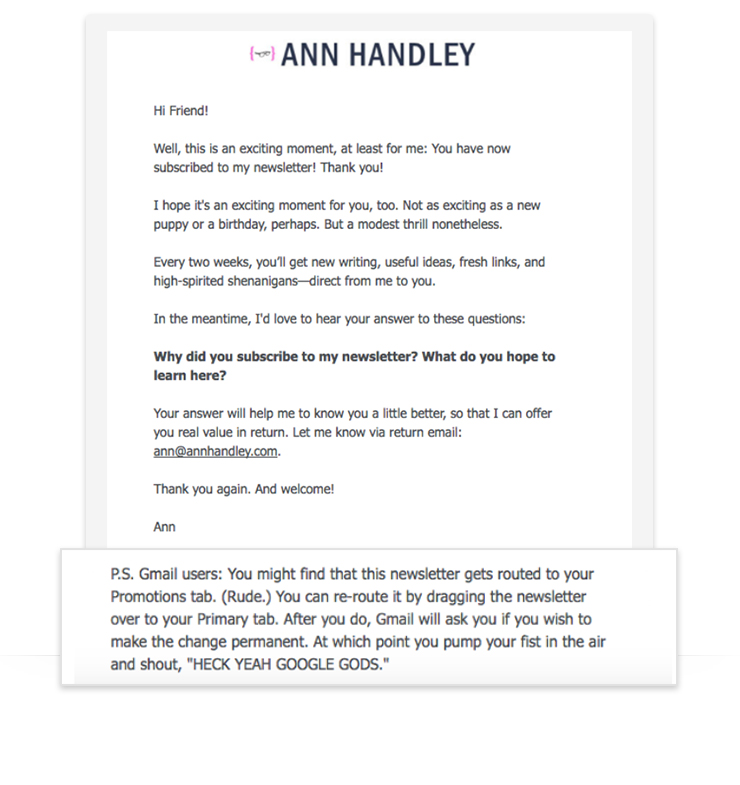
Ann Handley is a bestselling author and the chief content officer at Marketing Profs. Through AWeber, Handley sends out a long-form newsletter called TotalAnnarchy. Here’s the automated welcome email she sends when you subscribe. It can save her newsletter from hitting your Promotions tab.
Related: How to Write the Perfect Welcome Email in Under 1 Minute
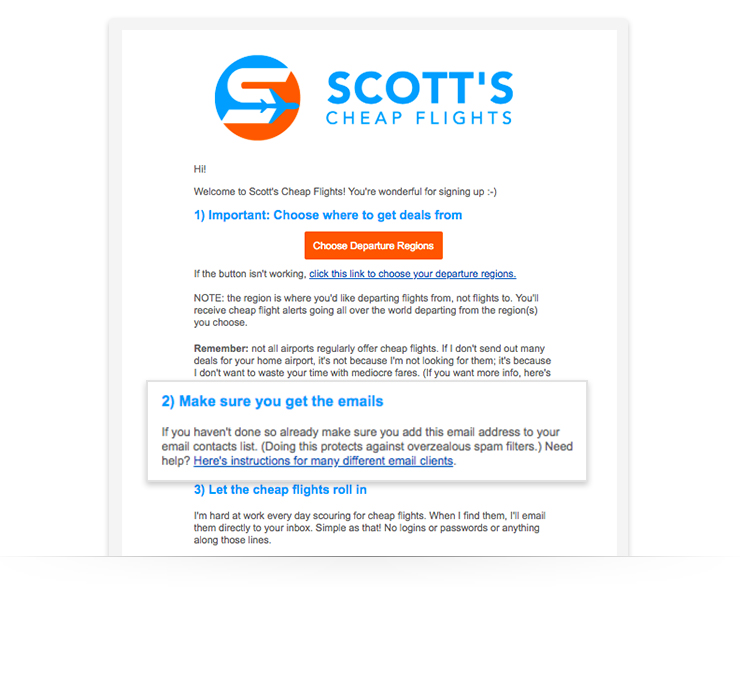
When you subscribe to Scott’s Cheap Flights, you get email alerts for discounted international flights departing from airports near you. The very first email you’ll receive has easy-to-follow safelisting instructions.
On your Thank You page
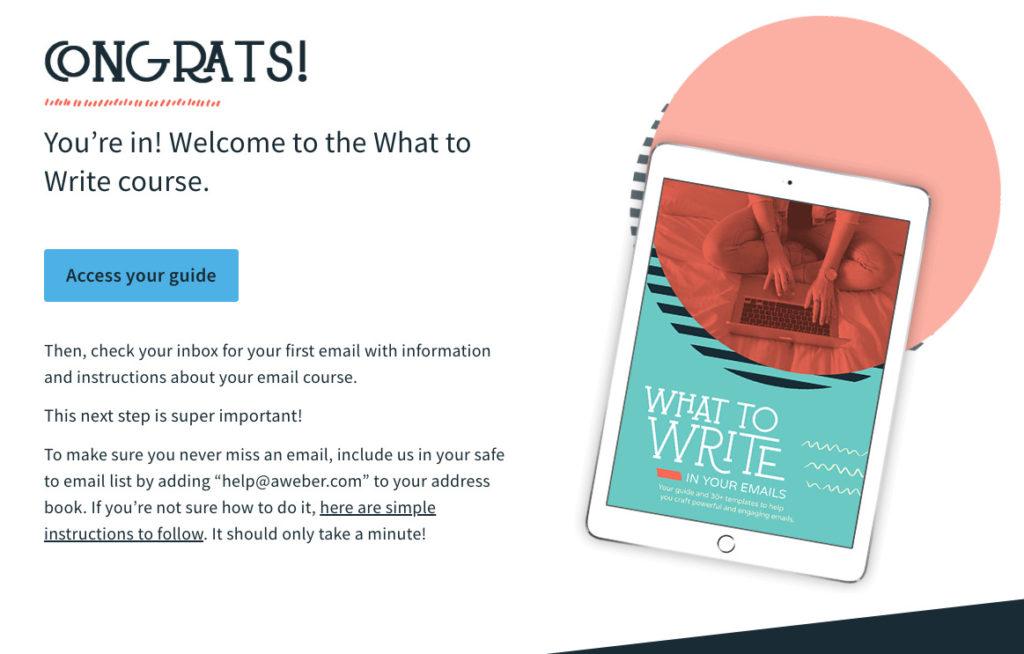
Another key location for your email safelisting instructions is a Thank You page. If someone signs up for your emails or a course, you can offer up safelisting instructions then. So we not only asked people to safelist AWeber in our What to Write Welcome email, but we also did it on the Thank You page.
Related: Writing Confirmation and Welcome Emails People Love
How does a subscriber safelist your email address?
It can vary depending on the ISP. Here are examples of some of the more popular clients that your subscribers might be using to receive emails. Under each section are steps on how to safelist a sender’s email address inside that client.
Feel free to direct them to that article for the specifics on how they could process this in their own email client, so you don’t have to reinvent the wheel!
Safelisting is only part of the equation
Keep in mind, while safelisting can help you reach the inbox, you won’t stay there long if subscribers don’t like what they get from you. So keep striving for the most relevant, useful content possible!
AWeber provides you with the best-in-class educational content to help you succeed. Our team of email experts constantly creates new courses, guides, podcasts, and articles (like this one!), and hosts live webinars and coaching sessions to help you crush your business goals with email marketing.


