Your Start-to-Finish Plan to Get 1,000 Email Subscribers
By Kaleigh Moore December 13, 2021
We wish we could wave a magic wand and give you 1,000 highly-interested email subscribers, but unfortunately, email marketing doesn’t work that way. That would be pretty cool though, wouldn’t it?
The reality is: Getting subscribers is hard work. That’s also why according to Ascend2, 54% of marketers say that growing their list of email subscribers is a top marketing priority.
You want quality email subscribers, and you want more of them, but the question is:
How do you get email subscribers?
Better yet, how do you make sure they stick around?
Ready to reach 1,000 (or more!) email subscribers? Follow the plan below.
Craft a better email newsletter
First things first: To effectively grow your subscriber list, you want to make sure you’re always sending your best content. Before you send out your next email newsletter, it’s a good idea to take a step back and evaluate what’s currently working and what’s not.
Related: How to Create an Irresistible Email Newsletter
According to the Direct Marketing Association, the four most important email marketing metrics are:
- Open rate
- Click-through rate (CTR)
- Conversion rate
- Return-on-investment (ROI)
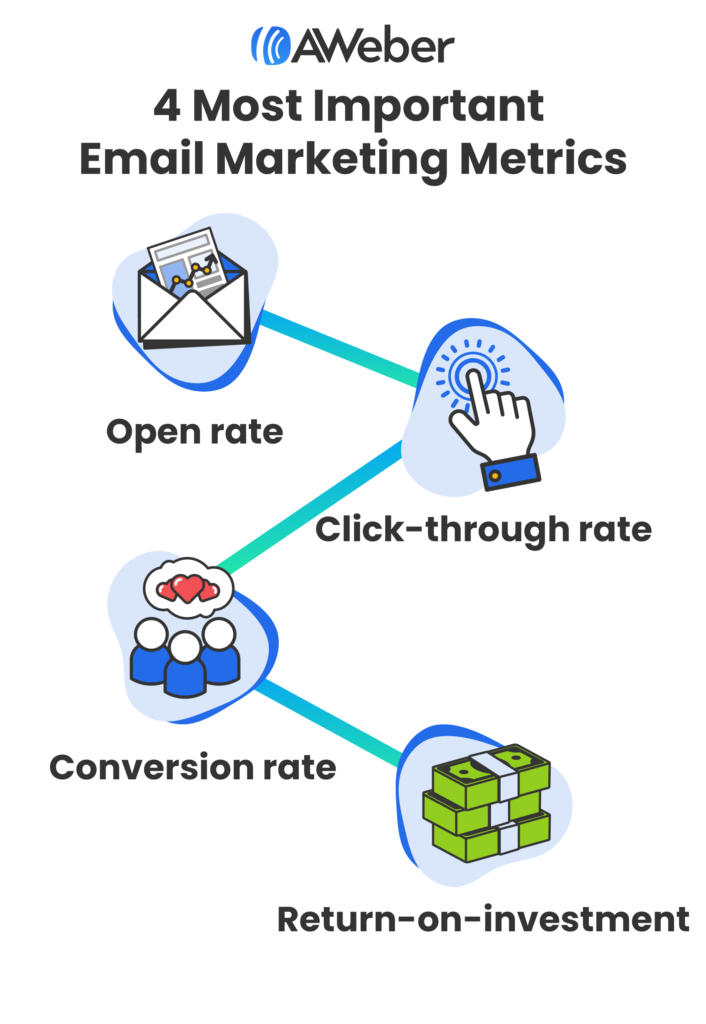
Having a good grasp of how your emails are performing (based on these metrics) will not only ensure you’re providing value, but that your subscribers will also continue to open your emails.
An easy way to identify your top-performing content is to review your email newsletter analytics. Pay attention to the emails that received the highest number of opens and clicks.
Related: Email Subject Line Best Practices To Get More Opens
Are there certain types of content that get more clicks than others? Is there a section that has barely been touched by subscribers? Take note of these trends for future planning.
Of course, your subscribers won’t want to see the same articles and information in every email, so it’s best to create new content and support it with older pieces where applicable.
After you have a handle on what’s working and what isn’t with your current newsletter, use your findings to create an even better one.
As you begin to gather more data on your subscribers and understand what they like to see, you’ll be able to tailor your emails to be even more impactful.
Get your emails in front of the right people
Now that you’ve refreshed your email newsletter, it’s time to make sure the right people see it. Here are six tried and true tactics that you can put to the test to grow your subscriber list.
1 – Tap your connections
Leveraging your network is a great way to steadily increase your subscriber list, and is often the best place to gain traction especially in the beginning. Although some of your connections may not be interested in the material themselves, they might know someone who is.
2 – Reach out to current subscribers
Reach out to current subscribers and encourage them to share your email with people they know who may be interested. You can make this ultra-simply by including a link for quick sharing within your email. (Basically, you’re asking them to forward your content on to those who may enjoy it!)
Here’s a fantastic email example of how to ask your connections to share your content. Use it as a template for your own outreach.
Pro tip: According to QuickSprout, subscribers are 3x as likely to share content on social media than visitors who view your content through other sources. Make sure your content is easy for subscribers to share with their social networks as well.
3 – Include newsletter sign up CTA’s across your channels
It’s no secret that calls-to-actions (CTA) are essential when helping customers take the next step. The same rings true for bulking up your subscriber list.
Add a CTA to sign up for your email newsletter within each of your blog posts and on your website. Also, pinning a post with the link to sign up to all your social profiles will help make it easier for potential subscribers to see.
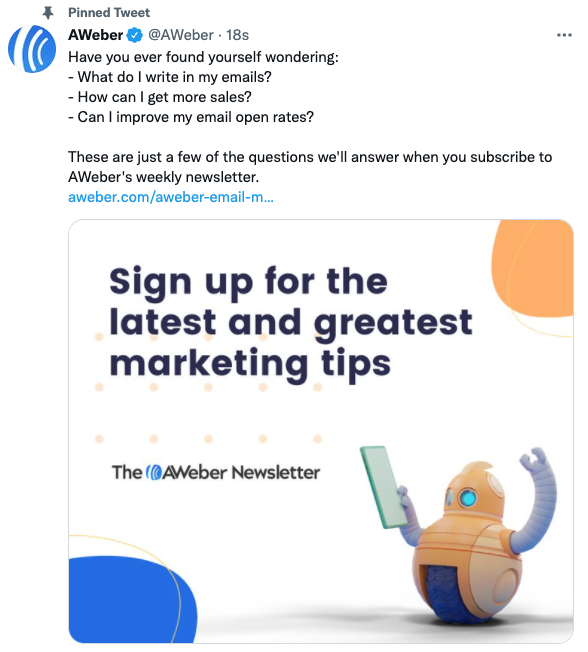
Providing as many opportunities to make signing up a breeze will increase the likelihood of more users subscribing.
Related: How to Grow your Email List with Instagram
4 – Invest in social advertising
Social media is a powerful tool, especially when backed by a few bucks. It can help you reach your target audience thanks to ad formats that cater to email signups.
For example, this Twitter ad from Really Good Emails is eye-catching, yet simple.
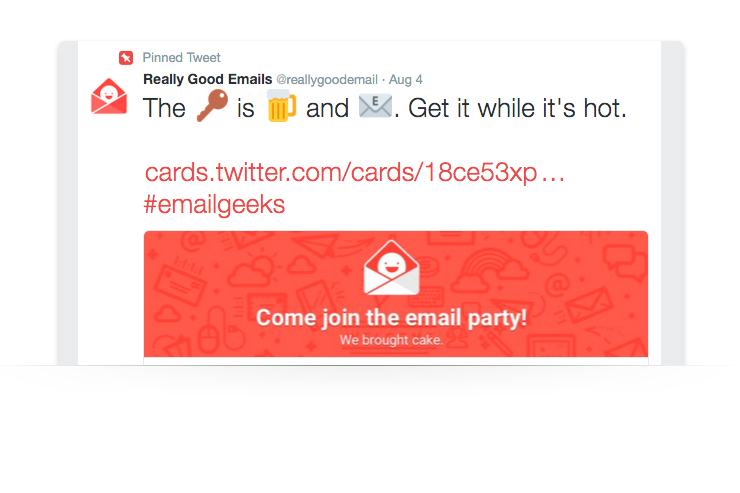
This playful Twitter ad not only aligns with their brand, but it clearly tells users what to do next. Don’t be afraid to play around with your ads and test different creative and copy. Like email marketing, the only way to understand what resonates with your audience is to test, test, test!
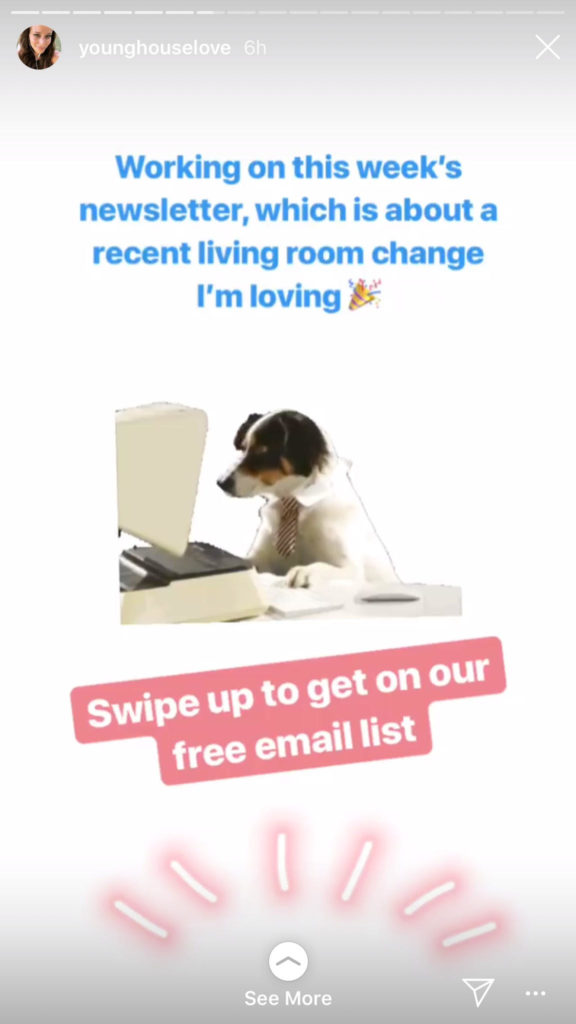
And don’t limit yourself to just Twitter. For instance, you could put an image of your newsletter in your Instagram Story and ask your followers to “swipe up” to join your email list.
5 – Write for other industry blogs
Guest writing is a great way to reach an audience you otherwise might not have the chance to. It seems unlikely that you would be able to increase signups for your email newsletter on another site, right?
The truth is: You definitely can.
In addition to the valuable content you’re already providing in the guest post, include a link to a dedicated landing page that offers more free content with no catch. Just be sure to include a CTA for visitors to sign up for your email newsletter.
OkDork did just that and was able to increase his subscriber list:
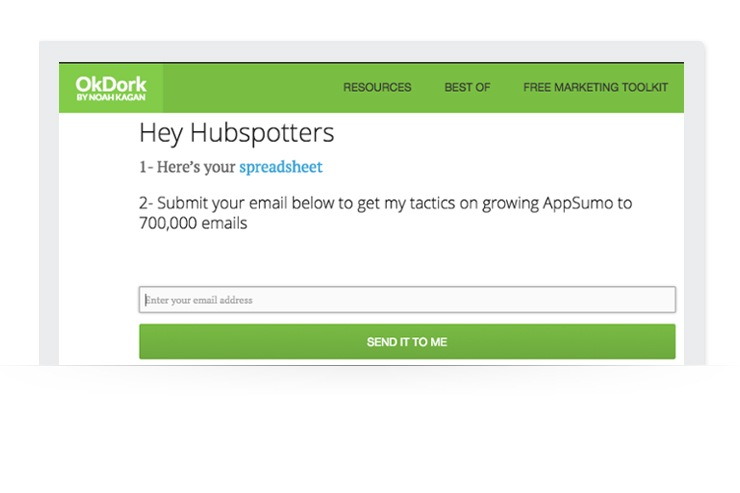
With guest writing, you not only provide value to a new audience, but you also have the opportunity to find s
With guest writing, you not only provide value to a new audience, but you also have the opportunity to find subscribers who might become some of your best customers.
Related: Understanding the Marketing Funnel: 5 Strategies to Improve Your Email Marketing
6 – Monitor and track your email performance
A sure-fire way to ensure you reach your goal of 1,000 email subscribers — or any marketing goal for that matter — is to monitor the performance of your emails and adjust where needed.
Make sure you have the correct tracking in place on both your email newsletters and your website. The data you collect will allow you to identify top-performing content and inform decisions that help evolve your email newsletters, which will result in more subscribers. It’ll also help you find out which lead generation methods are producing the most impactful results.
To keep things simple (and free!) start with a tracking tool like Google Analytics that can help you watch your numbers and gauge performance. You can set this up in just a few minutes and start gathering in-depth analytics around your email and website traffic.
Without the ability to track key metrics, it will be difficult to understand how your readers are interacting with your content and what they likely want to see more of in the future.
Now let’s get started
If you’re not quite sure how to get people to subscribe to your email list, don’t get discouraged. There are many ways to boost your lists — just remember, it can take time to attract the right audience. Wouldn’t you rather have 1,000 engaged email subscribers than 10,000 uninterested ones?
Here are some resources
Get started building your email list today.
Not sure how to get more email subscribers? Struggling to create a profitable email strategy? We can help. AWeber isn’t just an email marketing platform — we’re a team of email experts that wants to see you succeed. You can contact us day or night to get all your questions answered. Get started with AWeber Free today.


Kerah
12/25/2021 9:00 am😊 for this newsletter. It helps me with building a better strategy for growing my list.